3/20/2026

Xhorse Condor XC-Twins Cut 2024 Toyota RAV4 Key via AI Recognition

The Xhorse Condor XC-Twins (XCMT01GL) is a high-performance, dual-cutter automatic Key Cutting Machine featuring AI image recognition. Designed for automotive locksmiths, it replaces manual database searches with a faster, automated probing and camera-based identification system. After testing on a 2024 Toyota RAV4, the AI proved both accurate and significantly more efficient than traditional methods.


Key Hardware & Unboxing

The machine is robust and heavy, consistent with the Condor line’s build quality. It is corded only and requires a constant electrical power source.

  • Included Clamps:

M5 Clamp: The primary clamp for automotive locksmiths, featuring A and B sides.

M3 Clamp: Specialized for high-security keys.

M6 Clamp: Specifically included for AI system calibration.

  • Cutting System: Uses a double cutter setup (left and right) with a central tracer.
  • Documentation: Includes a detailed, colorful manual with clear screenshots for easy setup.

Xhorse Condor XC-Twins Cut 2024 Toyota RAV4 Key  1

Xhorse Condor XC-Twins Cut 2024 Toyota RAV4 Key  2

Xhorse Condor XC-Twins Cut 2024 Toyota RAV4 Key 3

Xhorse Condor XC-Twins Cut 2024 Toyota RAV4 Key 4

Performance Test: 2024 Toyota RAV4

The standout feature of the Condor XC-Twins is the AI Recognition mode, which aims to replace the manual “Make/Model/Year” search.

  • The AI Process: The machine uses a combination of the physical probe and multiple camera images to identify the key profile.
  • Speed & Ease: The AI method is notably simpler and faster than traditional database navigation.
  • Accuracy vs. Tradition: The AI suggested using the M5 Clamp Side A.
  • The traditional database suggested M5 Clamp Side B.
  • Result: Both methods produced functional keys that opened and closed the vehicle normally.

Xhorse Condor XC-Twins Cut 2024 Toyota RAV4 Key 5

Xhorse Condor XC-Twins Cut 2024 Toyota RAV4 Key 6

Xhorse Condor XC-Twins Cut 2024 Toyota RAV4 Key 7

Xhorse Condor XC-Twins Cut 2024 Toyota RAV4 Key 8

Xhorse Condor XC-Twins Cut 2024 Toyota RAV4 Key 9

Xhorse Condor XC-Twins Cut 2024 Toyota RAV4 Key 10

Xhorse Condor XC-Twins Cut 2024 Toyota RAV4 Key 11

Technical Observations

  • Cutting Depth: While the AI-cut key visually appeared slightly deep, it functioned perfectly in the door lock.
  • Setup Tip: Install the cutters before mounting the clamps to ensure easier access with the driver tool.
  • Software: The interface allows for quick account login/creation and uses a 4-digit PIN for security.


Expert Verdict: Why Choose the XC-Twins?

The Xhorse Condor XC-Twins successfully evolves the classic Condor series by integrating reliable AI technology.

“The AI definitely works and it’s a little bit faster than the old-fashioned way. I’m excited about this upgrade.”

Final Take: If you are looking for a machine that reduces manual input and handles modern 2024+ vehicle profiles with high efficiency, the XC-Twins is a professional-grade choice that delivers on its promises.


www.vvdishop.com

3/10/2026

How to Activate Xhorse Condor XC-TWINS Key Cutting Machine?

As titled, vvdishop.com here shows how to activate and update the Xhorse Condor XC-TWINS key cutting machine.


Activate Xhorse XC-TWINS:

1).Plug in the power cord, power on the machine, and click on “START TO SET”.

Activate Xhorse Condor XC-TWINS  1

2).Click to select a WiFi network.

Activate Xhorse Condor XC-TWINS  2
3). Enter the password and on click on “Connect”. After the connection is successful, click on “Next” at the bottom.

Activate Xhorse Condor XC-TWINS 3
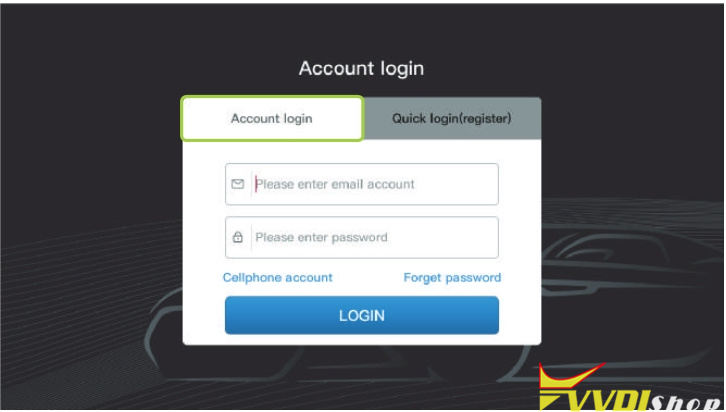
4).Users can choose to log in with an account or use quick login (new users need to select quick login and register).

Activate Xhorse Condor XC-TWINS 4

Activate Xhorse Condor XC-TWINS 5
5). After successful login, click to send the verification code to bind the device.

Activate Xhorse Condor XC-TWINS 6

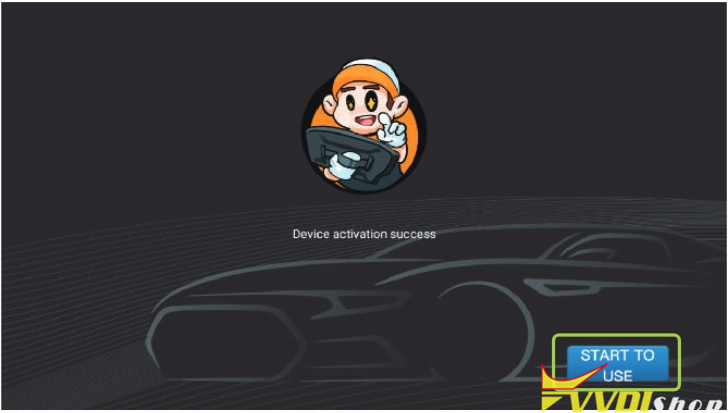
6). Once the device is successfully activated, click “START TO USE”.

Activate Xhorse Condor XC-TWINS 7

Update Xhorse XC-TWINS:

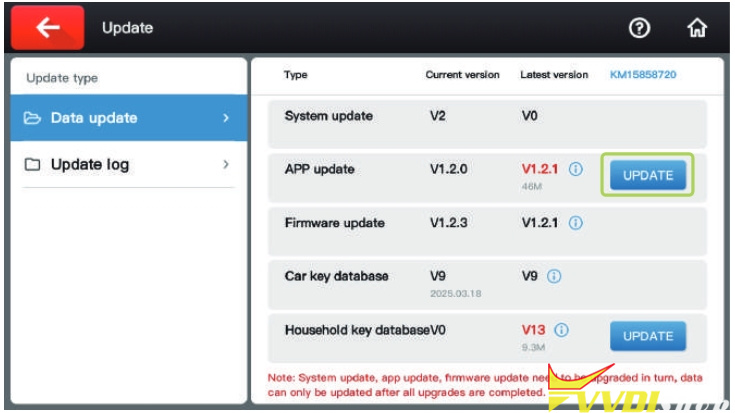
1). After the device is connected to the Internet, click on “Update” in the upper right corner of the main page.

Activate Xhorse Condor XC-TWINS 8
2). Click the “UPDATE” button on the right side to update.

Activate Xhorse Condor XC-TWINS 9

3/09/2026

Xhorse Dolphin II Charging Board in BIOS Mode Solution

Problem:

Xhorse Dolphin XP005L key cutting machine gave an error: Charging board in BIOS mode. How to fix it?

Xhorse Dolphin II Charging Board in BIOS Mode 1

Solution:

Unplug this green cable from the battery, then run a firmware update.

Plug it back in, and update firmware again.

(Update the firmware twice.) It will be fine.

Xhorse Dolphin II Charging Board in BIOS Mode 2

3/08/2026

Xhorse Condor XC-003 Grinding Wheel Not Turning Solution

Problem:

Xhorse Condor XC-003 manual key cutting stopped working. The grinding wheel is not turning. It will not duplicate keys. How to fix it?

Xhorse Condor XC-003 Grinding Wheel Not Turning 1

Xhorse Condor XC-003 Grinding Wheel Not Turning 2

Xhorse Condor XC-003 Grinding Wheel Not Turning 3

How to check your Condor XC003 key cutting machine:

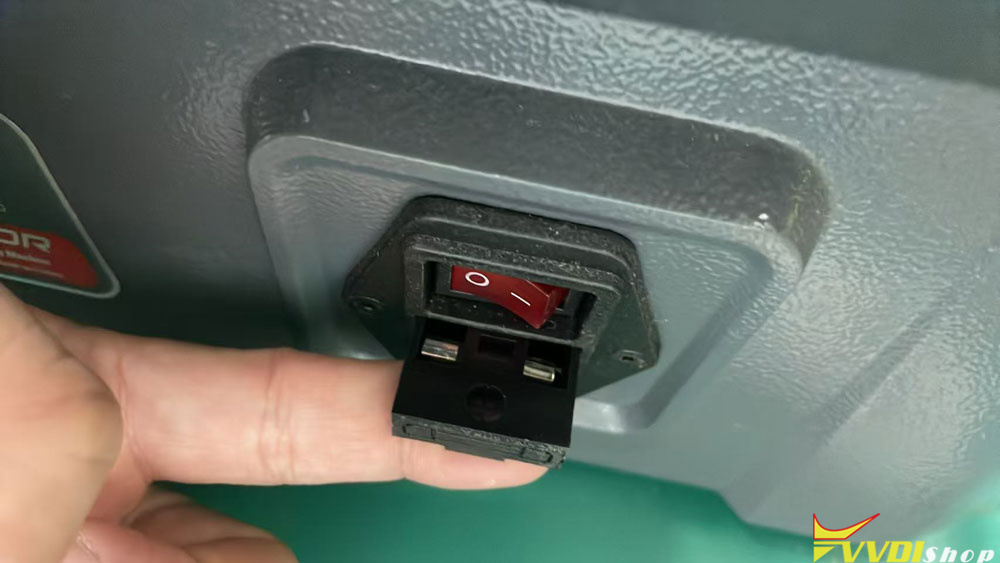
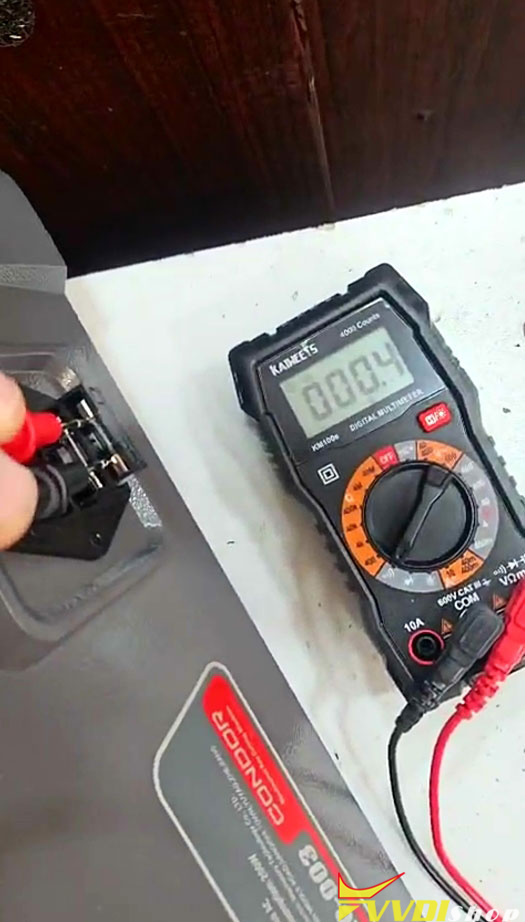
1.First of all, check if this fuse box is in good condition.

Xhorse Condor XC-003 Grinding Wheel Not Turning 4

Xhorse Condor XC-003 Grinding Wheel Not Turning 5

2. If the fuse box is not good.

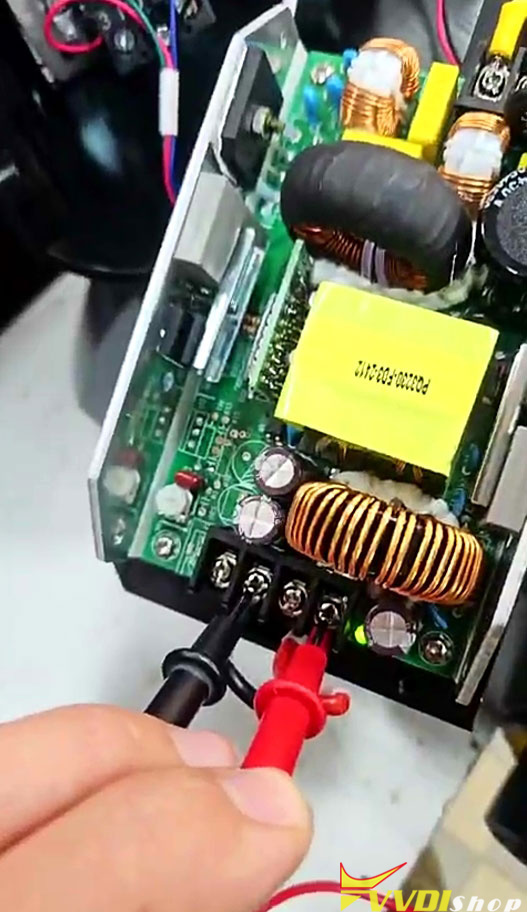
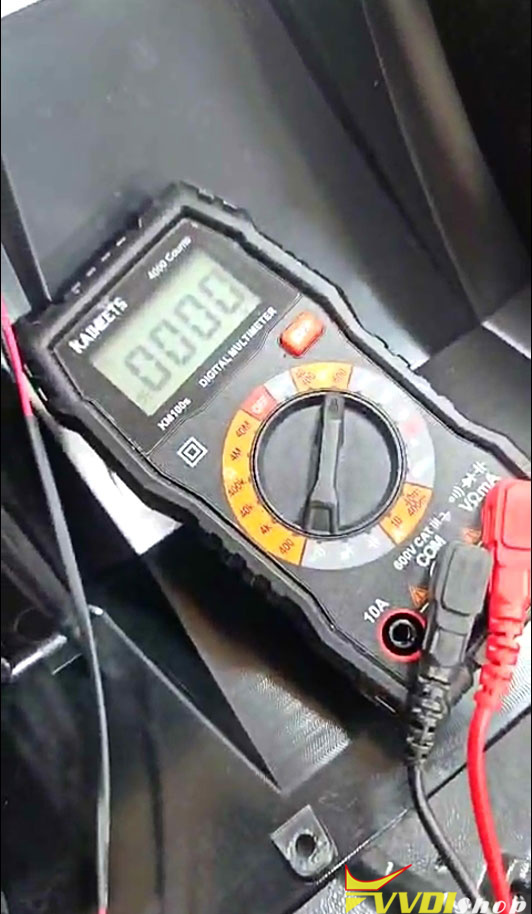
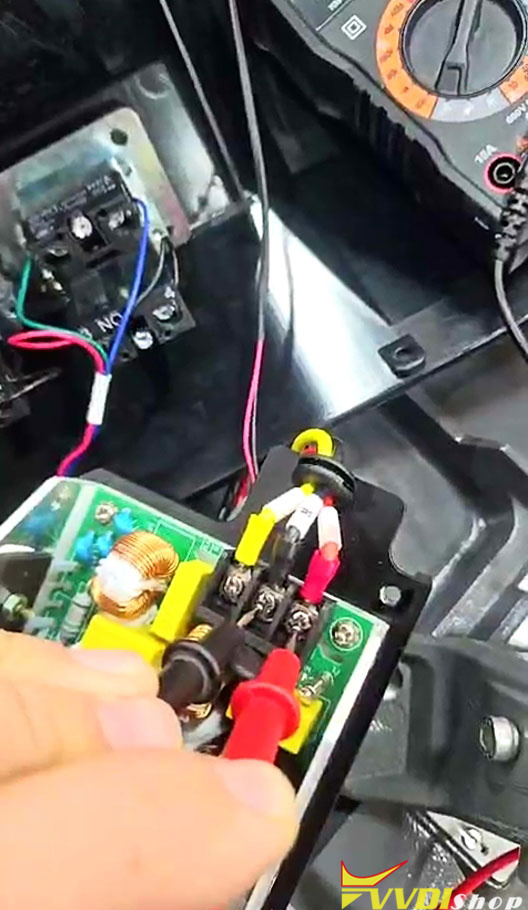
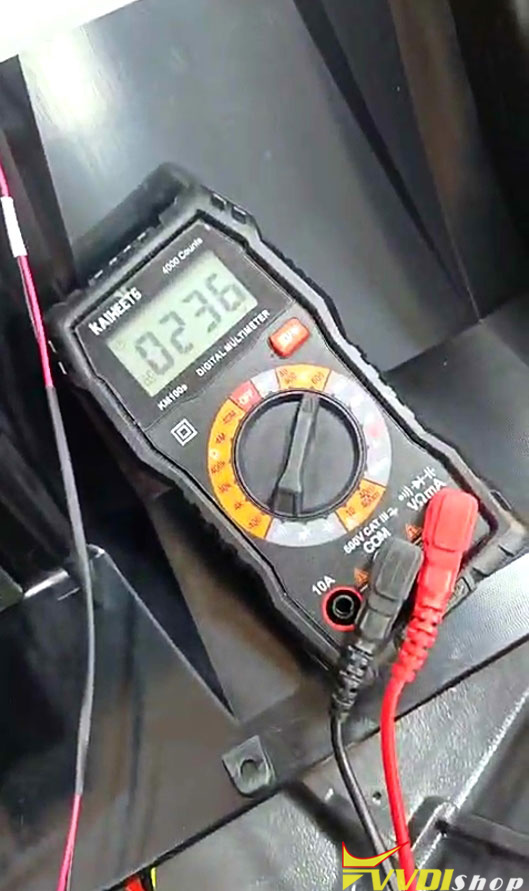
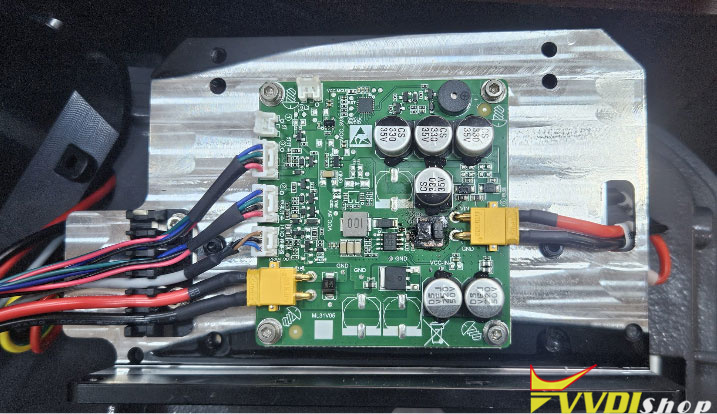
Remove the top cover and measure the input and output of the power board to see if it has 220V/24V respectively.

Xhorse Condor XC-003 Grinding Wheel Not Turning 6

There is no output voltage (0). It has input voltage of 236V.

Xhorse Condor XC-003 Grinding Wheel Not Turning 7

Xhorse Condor XC-003 Grinding Wheel Not Turning 8

Xhorse Condor XC-003 Grinding Wheel Not Turning 9

Xhorse Condor XC-003 Grinding Wheel Not Turning 10

In this case, the power board or mainboard is damaged. Check if any components on the board are burnt out.

If yes, need to replace power board or main board.

Xhorse Condor XC-003 Grinding Wheel Not Turning 11