Showing posts with label Condor Mini Plus II. Show all posts

7/15/2022

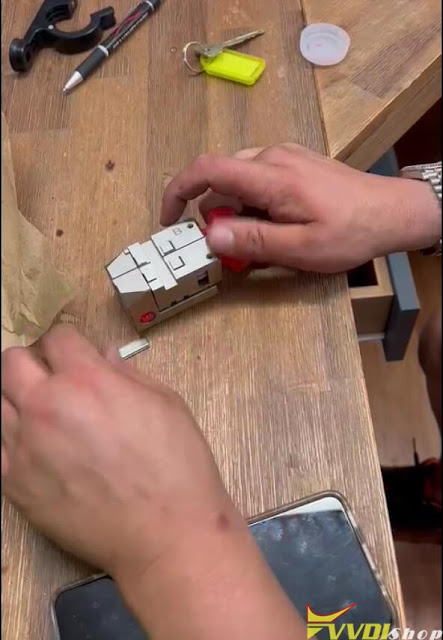
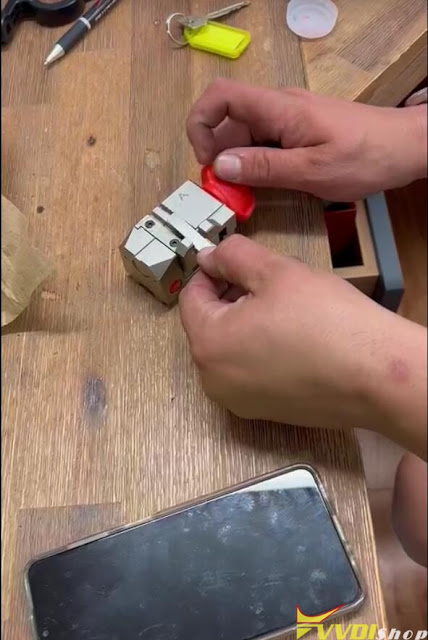
How to Solve Xhorse Condor II Error Code 2?

 Question: The xhorse condor mini plus ii machine has arrived. The calibration is ok. updated and constantly this error code 2. What could be the reason?

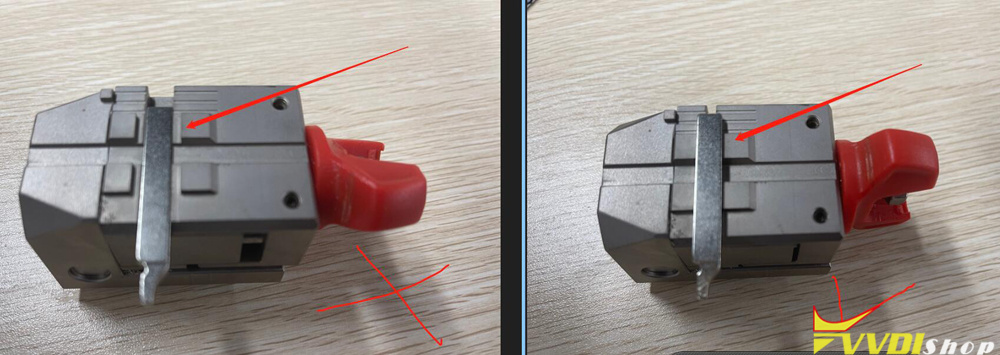
Solve Xhorse Condor II Error Code 2 1

Solve Xhorse Condor II Error Code 2 2

Solve Xhorse Condor II Error Code 2 3

Solve Xhorse Condor II Error Code 2 4

Reason:

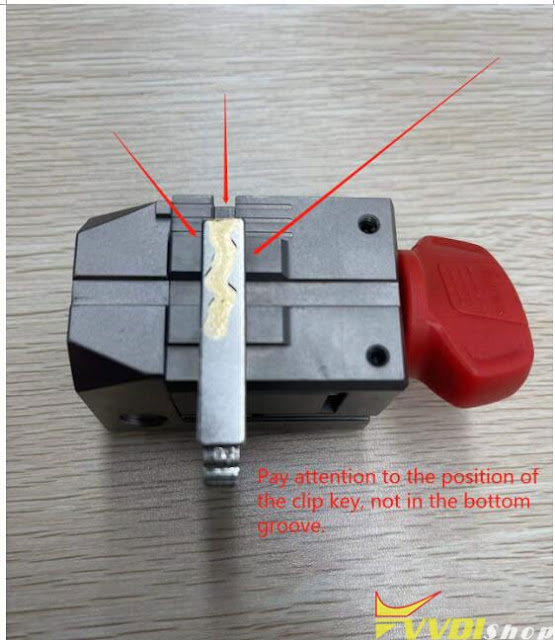
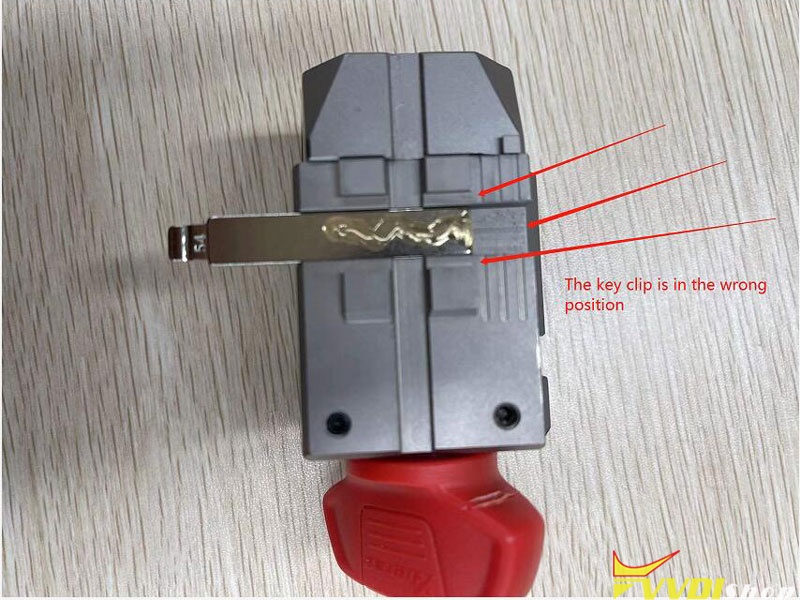
Your key clip is in the wrong position.

Solve Xhorse Condor II Error Code 2 5

Check detailed info. here

http://blog.vvdishop.com/xhorse-condor-ii-m5-clamp-cannot-gripe-keys/

3/23/2022

How to Get the Xhorse Condor II Engraving Cutter?

 Question:

I bought the xhorse condor xc-mini plus ii key cutting machine to do engraving. It asks for a special engraving cutter. Where and what engraver bit do I buy?
It will not engrave without the engraver cutter? Do you not know when it will be available?
Xhorse Condor II Engraving Cutter
Answer:
The engraving cutter is an optional accessory of condor ii.
It is not yet available now.
FYI: the M5 clamp is used to cut vehicle keys, to cut dimple key and engrave key, you need optional clamp/cutter separately.

Demo guide: Xhorse Condor XC Mini Plus II Engrave on a Key Blank

How to Cut New Honda Thin Key with Xhorse Condor II?

 Xhorse Condor XC-Mini Plus II is able to duplicate a Honda Civic/Acura Integra SY key (pretty thin). The procedure includes 3 steps: cut the blank thin, cut key tip cutting & cut key bitting. The new Civic/Integra key is pretty thin, so we’ll use the No.123 key blank for duplication.  Condor II is the only Xhorse machine that can cut this super thin key.

Cut New Honda Thin Key with Xhorse Condor II 1

Check on Youtube for full operations:

Step1. Cut The Blank Thin

  1. Setting, Installation & Calibration

Settings >> Cutting setting >> Probe and cuter diameter setting >> 1.0mm probe, 2.5mm cutter, save

Cut New Honda Thin Key with Xhorse Condor II 2


After installing M5 clamp, 2.5mm cutter & 1.0mm probe to Condor II, go to do a device calibration: Manual cutting >> Line mode >> Initialize

Cut New Honda Thin Key with Xhorse Condor II 3


  1. Detect Z Points

This is to determine the height reference points. Here we’ll first detect 6 points and 2 points next.

– Insert the key blank & tighten M5 clamp.

– Move the probe till it’s right above the key blank by pressing X/Y.

– Long press Z point to record the point.

Cut New Honda Thin Key with Xhorse Condor II 4


*Currently XC-Mini Plus II supports recording 2-6 points. Users can record 6 points directly and cut it thin. However, these points have to be recorded precisely. And it’s hard to recod with human eyes(you may need a vernier caliper). So it’s recommended to record 8 points to finish cutting.

Cut New Honda Thin Key with Xhorse Condor II 5


  1. Cut Thickness

Start cutting >> 1.50mm cutting depth >> Cut

Just wait Condor Mini Plus processing…

Take out the key when completed, we can see the area within the 6 points are completely thinned.


Go on to cut the head part of the key.

Insert the key reversely.

Start cutting >> Cut

We’ve finished the 6-point area cutting.

Cut New Honda Thin Key with Xhorse Condor II 6

Cut New Honda Thin Key with Xhorse Condor II 7

  1. Record Last 2 Points & Cut The Rest.

– Calibration again: Manual cutting >> Line mode >> Initialize

– Insert & tighten the key blank

– Detect Z point, then 2 points

– Cut 2 sides: start cutting >> 1.50mm cutting depth >> Cut

The key blank has been cut thin.

Cut New Honda Thin Key with Xhorse Condor II 8


Step2. Key Tip Cutting

  1. Mark the key blank based on the shape of the original key tip.
  2. Manual cutting >> line mode >> Initialize
  3. Insert the key blank & tighten the clamp.
  4. Detect Z point & 3 marked points.
  5. Start cutting >> 1.75mm cutting depth >> Cut

Cutting completed.

Cut New Honda Thin Key with Xhorse Condor II 9

Cut New Honda Thin Key with Xhorse Condor II 10

Step3. Key Bitting Cutting

Automotive >> Brand/model >> Civic >> SY

The 2 sides of Civic keys differ in bitting.

So we should decode both sides:

  1. Insert the original key & tighten, A Side >> Decode key
  2. Flip the key and tighten again, B Side >> Decode key
  3. Remove original key to insert new key blank on clamp, A Side >> Start cutting >> Cut
  4. Flip the key blank, B Side >> Start cutting >> Cut

Key bitting duplication completed.

Cut New Honda Thin Key with Xhorse Condor II 11

Cut New Honda Thin Key with Xhorse Condor II 12

Test Key

It can work perfectly to open the lock.

Done.

Cut New Honda Thin Key with Xhorse Condor II 13

This is how to use XC-Mini Plus II to copy a Honda Civic/Integra SY key. More tutorials about Xhorse Key Cutting Machine to be updated.

www.vvdishop.com

2/28/2022

How to Fix Xhorse M5 Clamp Cannot Gripe Keys?

 Problem:

I just got the new xhorse condor ii key cutting machine and had a problem with the new m5 clamp as B side is not gripping the keys correctly.

Fix Xhorse M5 Clamp Cannot Gripe Keys 1

Fix Xhorse M5 Clamp Cannot Gripe Keys 2

Fix Xhorse M5 Clamp Cannot Gripe Keys 3

Solution:

Fix Xhorse M5 Clamp Cannot Gripe Keys 4

Pay attention to the position of the clip key, not in the bottom groove.

Fix Xhorse M5 Clamp Cannot Gripe Keys 5

The key clip is in the wrong position.

2/10/2022

Xhorse Condor II and Dolphin II XP005L Comparison

 Would like to learn the differences between dolphin ii vs xhorse condor xc-mini plus ii key cutting machine. Any input?

First of all, check a table comparison, then major differences and the summary below.

ItemXhorse Dolphin II (Dolphin XP005L)Xhorse Condor II (Condor XC-Mini Plus II)
Image  
Databaseshares same key database, support car, motorcycle and household keys.
Touch screen5-inch angle- adjustable capacitive touch screen.7-inch angle- adjustable capacitive touch screen.
WiFiYesYes
BluetoothYesYes
Built-in batteryYesNo
Net weight13kg19kg
Gross weight18.5kg24kg
Power160W200W
Protective shieldYesYes
LED indicatorYesYes
Parameter 390mm*220mm*270mm 413 x 250 x 300mm
Offline operationNoYes
ManipulationPhone App/Key Tool Max/StandaloneStandalone
Optional key RecognitionYes (works with key reader)Yes (works with key reader)
ClampM5 clamp in default,

Clamp M1, M2, M3, M4 optional

M3 and 5 clamps in default,

Clamp M1, M2, M4 optional


UpdateFirmware, database update via WiFiSystem, app, software, database, firmware update within machine, without upgrade kit on PC  (update guide)
Warranty1 year3 years

1.Software

Database

Dolphin II and Condor II shares the same key database, support car, motorcycle and household keys.

It is mainly for car keys, only a few motorcycle and household keys are on database.


2. Key Blank Engraving

xhorse condor ii Key Blank Engraving

The biggest difference would be the key blank engraving (dimple key) function.
XP005L does not support this feature, condor ii does.

Due to the two new dimple cutters (internal/external), condor ii can decode and cut multi-lock dimple keys so we can personalize our keys.

The key blank engraving function allows users to add and delete texts and pictures, resize and turn them, to perfectly design a unique key.

Check How to Engrave a Key Blank with Condor II

Optical Key Bitting Recognition
Xhorse reader is used for decoding plastic and aluminum keys like some keys of landrover and audi. It can work with dolphin, condor and panda key cutting machines.
Condor XC-Mini II is the only one that can directly connect to key reader without a mobile phone.
It’s able to quickly and accurately identify almost all car keys, motorcycle keys, plastic keys and aluminum keys while connecting to key reader.
optical recognition           avoid probe breaking       identify key data faster


3. Offline operation

xhorse condor mini plus ii supports offline operation like the previous condor mini plus.
The network is not always movable, so this function could be a highlight.

But condor still does not have a built-in battery, so if you want to take it out, you may prepare a van to power it or choose the new Dolphin XP005L.


4. Clamps


Both come with M5 (M1+M2) clamp, clamp m5 is really handy, don’t have to install and uninstall during procedure, just rotate it to select side A/B and lots of guys also appreciate this clamp update.

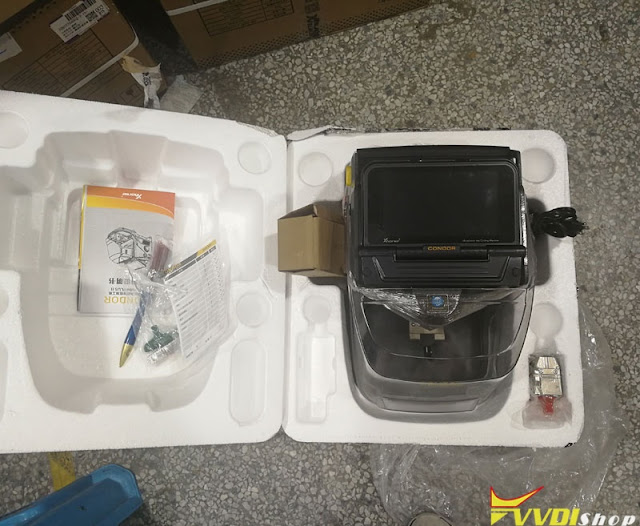
Condor Mini Plus II comes with M3 clamp in default as well.  It could save money a lot.

xhorse condor ii clamp

5. Firmware

Both have touch screen control, can also be controlled by phone app.

Condor II has a large screen and works faster (8-core Processor and high resolution).

Dolphin II is light weight and can be carried out easily.


6. Package

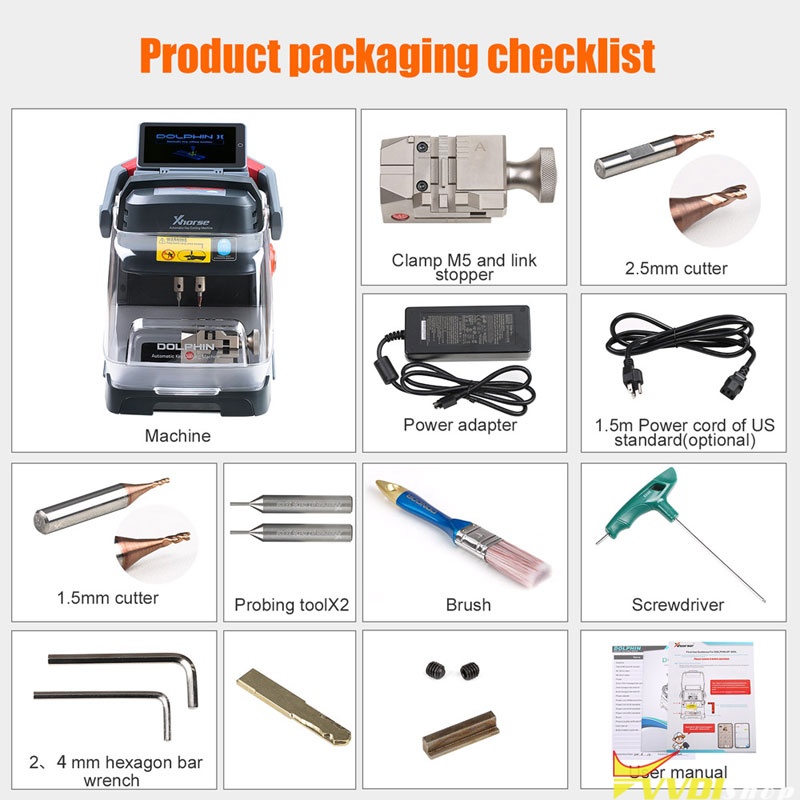
Dolphin XP-005L Package List 

dolphin ii pacakge

1pc x Machine

1pc x Clamp M5 and link stopper

1pc x Clamp M3 ( optional )

1pc x Clamp M4 ( optional )

1pc x 1.5mm cutter

1pc x 2.5mm cutter

1pc x Probe

1pc x 2mm+4mm 3mm hexagon bar wrench

1pc x 3mm hexagon bar wrench

1pc x 6mm hexagon bar wrench

1pc x Protective bracket

1pc x Power adapter

1pc x 1.5m Power cord of Mainland China standard

1pc x 1.5 Power cord of UK standard (optional)

1pc x 1.5 Power cord of US standard (optional)

1pc x 1.5 Power cord of EU standard (optional)

1pc x Built-in battery (optional)

1pc x Brush

1pc x Product qualitty certificate

1pc x User manual


Xhorse Condor II Package List 

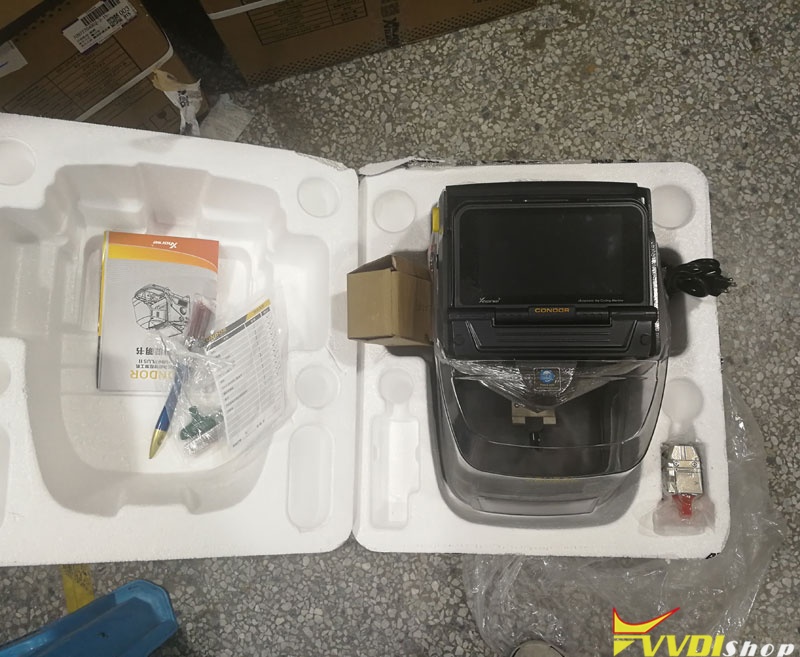
condor ii package

Condor II Package:

1pc x Machine

1pc x Clamp M5 and link stopper

1pc x Clamp M3

1pc x Clamp M4 ( optional )

1pc x 1.5mm cutter

1pc x 2.5mm cutter

1pc x Probe

1pc x 2mm+4mm 3mm hexagon bar wrench

1pc x 3mm hexagon bar wrench

1pc x 1.5 Power cord of UK standard (optional)

1pc x 1.5 Power cord of US standard (optional)

1pc x 1.5 Power cord of EU standard (optional)

1pc x Brush

1pc x Product qualitty certificate

1pc x User manual


Summary:

It all depends on what you need.
same database, same feature.
First of all, you need to know which one is portable or not.  When you arrive at a site and need to cut 10-15 keys at once, you go for dolphin ii because it is battery operated.

Condor ii would be a nice choice in the long run.

http://blog.vvdishop.com/xhorse-condor-ii-vs-dolphin-ii-which-to-choose/