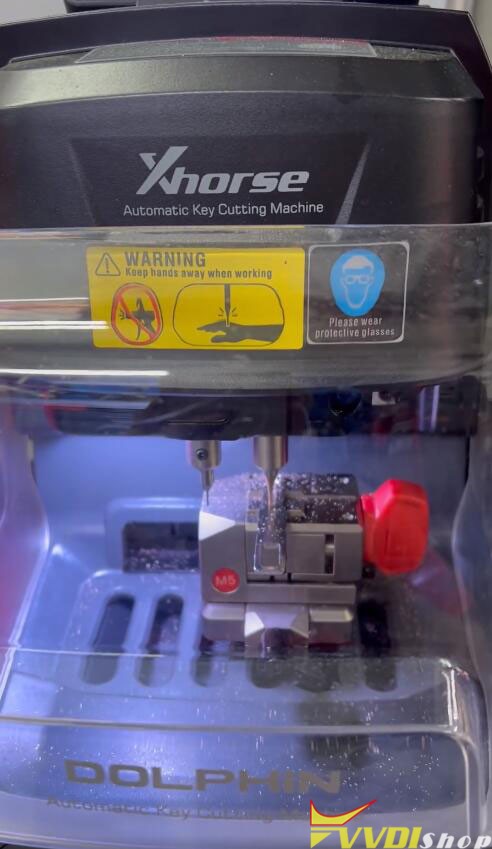
Showing posts with label xhorse key reader. Show all posts

12/07/2023

Xhorse Condor Mini Plus Failed to Connect Key Reader Solution

 Problem: I was going to use Xhorse VVDI Key Tool Max to control Condor XC-Mini Plus & Key Reader for a cutting. But it failed to connect Key Reader all the time. The Bluetooth and power are on.


What’s the problem? Please advise.

Xhorse Condor Mini Plus Failed to Connect Key Reader 1

Xhorse Condor Mini Plus Failed to Connect Key Reader 2

Xhorse Condor Mini Plus Failed to Connect Key Reader 3

Solution

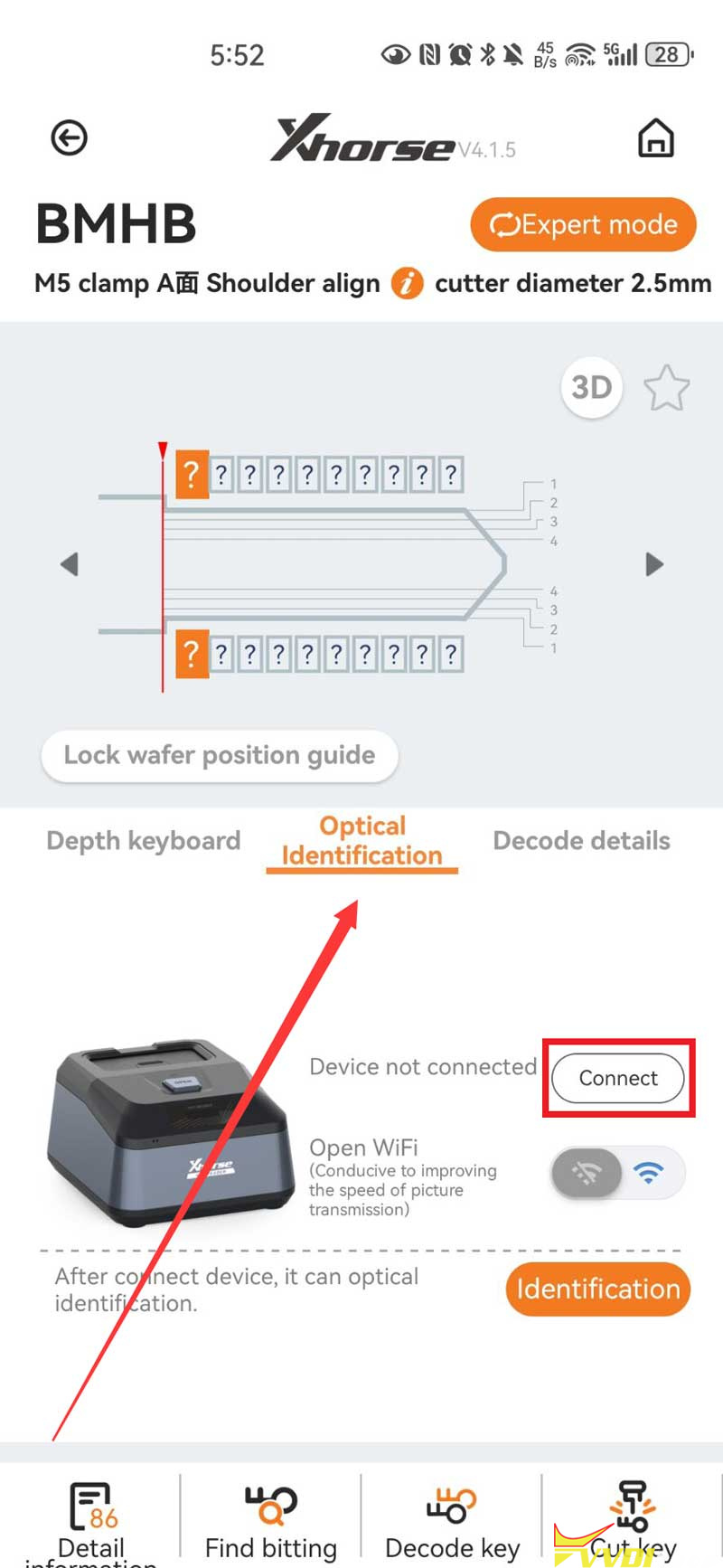
Please connect Key Reader in the key option to be cut:

  1. BMHB >> Optical Identification >> Connect


DO NOT connect in the CondorMini Plus home page, this problem can be solved.

Xhorse Condor Mini Plus Failed to Connect Key Reader 4


Hope this is helpful.

Good luck.


Technical Support

www.vvdishop.com

10/19/2023

Xhorse Dolphin II + Key Reader Cut Audi A6 HU66 Key

 I’m going to show how to use Xhorse Dolphin XP005L + Key Reader to cut a new Audi A6 HU66 key. Firstly you should have a working key for reading key bitting codes. Let’s get to start.


Step1. Read Bitting Codes

  1. Turn on Dolphin II, it’ll power-on self-test.
  2. Use Xhorse app for Bluetooth connection.
  3. Insert the key into XDKR00GL Key Reader for optical reading.


Optical identification >> Audi >> A6 >> HU66 >> OK >> Identification >> Identification

Identification successful.

Key biting codes: 11334242

Press “To cut” to complete.

Xhorse Dolphin II + Key Reader Cut Audi A6 HU66 Key 1

Xhorse Dolphin II + Key Reader Cut Audi A6 HU66 Key 2

Xhorse Dolphin II + Key Reader Cut Audi A6 HU66 Key 3

Xhorse Dolphin II + Key Reader Cut Audi A6 HU66 Key 4

Step2. Cut Key

*It’s suggested to do height calibration before cutting.

Device information >> Height calibration >> Start

Xhorse Dolphin II + Key Reader Cut Audi A6 HU66 Key 5

Put the key to be cut on M5 clamp side B position 0, lock the knob.

Close the protective cover to prevent the cutting iron filings from flying around.

Cutting key >> Continue

Dolphin XP005L machine starts cutting…

Clean up debris after cutting completed.

Turn the key over and continue to cut the other side.

Continue cutting…

Wait until finished.


Take out the key to check cutting effect, it’s same as the working key.

It can successfully open lock as well.

Well done.

Xhorse Dolphin II + Key Reader Cut Audi A6 HU66 Key 6

Xhorse Dolphin II + Key Reader Cut Audi A6 HU66 Key 7

Xhorse Dolphin II + Key Reader Cut Audi A6 HU66 Key 8

Xhorse Dolphin II + Key Reader Cut Audi A6 HU66 Key 9

www.vvdishop.com

9/06/2023

Xhorse Dolphin II Clone Ducati Multistrada 1200 Key

 User report: Ducati Multistrada 1200 motorcycle red key (ID4D) cloning and carving was done by Xhorse Dolphin XP005L key cutting machine.
 

Device used:

Xhorse dolphin ii

Xhorse key reader

Xhorse vvdi key tool plus


Clone transponder

Identify key bitting with key reader on key tool plus

Cut key with dolphin 2 by bitting


images attached

Xhorse Dolphin II Clone Ducati Multistrada 1200 Key 1

Xhorse Dolphin II Clone Ducati Multistrada 1200 Key 2

Xhorse Dolphin II Clone Ducati Multistrada 1200 Key 3

Xhorse Dolphin II Clone Ducati Multistrada 1200 Key 4

Xhorse Dolphin II Clone Ducati Multistrada 1200 Key 5

Xhorse Dolphin II Clone Ducati Multistrada 1200 Key 6

Xhorse Dolphin II Clone Ducati Multistrada 1200 Key 7

Xhorse Dolphin II Clone Ducati Multistrada 1200 Key 8

Xhorse Dolphin II Clone Ducati Multistrada 1200 Key 9

Xhorse Dolphin II Clone Ducati Multistrada 1200 Key 10

Xhorse Dolphin II Clone Ducati Multistrada 1200 Key 11

Xhorse Dolphin II Clone Ducati Multistrada 1200 Key 12

Xhorse Dolphin II Clone Ducati Multistrada 1200 Key 13

Xhorse Dolphin II Clone Ducati Multistrada 1200 Key 14

Xhorse Dolphin II Clone Ducati Multistrada 1200 Key 15


7/05/2023

Xhorse Dolphin II Cut Ducati Multistrada 1200 Motor Key

 How to: cut, copy and cloning Ducati multistrada 1200 year 2014 4D motorcycle key with xhorse combo.


Device used:

Xhorse key reader

Xhorse Dolphin XP005L Dolphin II

VVDI Key Tool plus (or key tool max/key tool max pro)


How this Xhorse combo works, making a Ducati key?


Decode key bitting with key reader

Cut key with dolphin 2

Image attached:

Xhorse Dolphin II Cut Ducati Multistrada 1200 Motor Key 1

Xhorse Dolphin II Cut Ducati Multistrada 1200 Motor Key 2

Xhorse Dolphin II Cut Ducati Multistrada 1200 Motor Key 3

Xhorse Dolphin II Cut Ducati Multistrada 1200 Motor Key 4

Xhorse Dolphin II Cut Ducati Multistrada 1200 Motor Key 5

Xhorse Dolphin II Cut Ducati Multistrada 1200 Motor Key 6

Xhorse Dolphin II Cut Ducati Multistrada 1200 Motor Key 7

Xhorse Dolphin II Cut Ducati Multistrada 1200 Motor Key 8

Xhorse Dolphin II Cut Ducati Multistrada 1200 Motor Key 9

Xhorse Dolphin II Cut Ducati Multistrada 1200 Motor Key 10

Xhorse Dolphin II Cut Ducati Multistrada 1200 Motor Key 11

After cut key, start cloning.

Go to Transponder cloning function. Identify key chip type: ID40

Then clone transponder key with key tool plus.

Xhorse Dolphin II Cut Ducati Multistrada 1200 Motor Key 14

Xhorse Dolphin II Cut Ducati Multistrada 1200 Motor Key 15

Xhorse Dolphin II Cut Ducati Multistrada 1200 Motor Key 16

Xhorse Dolphin II Cut Ducati Multistrada 1200 Motor Key 17

Xhorse Dolphin II Cut Ducati Multistrada 1200 Motor Key 18

www.vvdishop.com

8/31/2022

How to Fix Xhorse Key Reader Cannot Identify Key Bitting?

 Problem:

My xhorse key reader cannot identify key bitting anymore. It starts Scanning the key and never ends. Any solution?

Fix Xhorse Key Reader Cannot Identify Key Bitting 1

Fix Xhorse Key Reader Cannot Identify Key Bitting 2


VVDISHOP working solution:

1).  Update xhorse key reader

in Xhorse App, go to Optional Identification

Fix Xhorse Key Reader Cannot Identify Key Bitting 3

Update xhorse key reader firmware via WiFi (Don’t forget to open WiFi)

Fix Xhorse Key Reader Cannot Identify Key Bitting 4

2) Calibrate key reader

Keep press the key reader icon until it shows “Calibration”, calibrate the device

Fix Xhorse Key Reader Cannot Identify Key Bitting 5

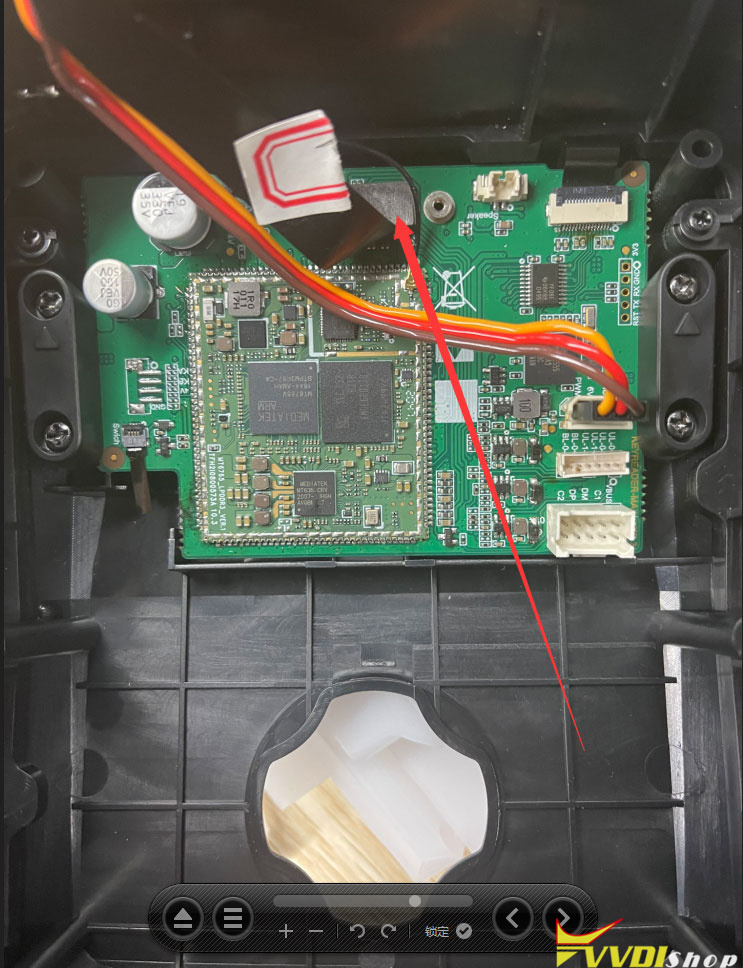
3). If failed, open device, check if this cable gets loose and replug it.

Fix Xhorse Key Reader Cannot Identify Key Bitting 6