Showing posts with label condor ii. Show all posts

5/06/2026

How to Test Xhorse Dolphin XP005L Battery BMS Board?

Here comes the Xhorse Dolphin XP005L key cutting machine new style battery BMS board testing guide.

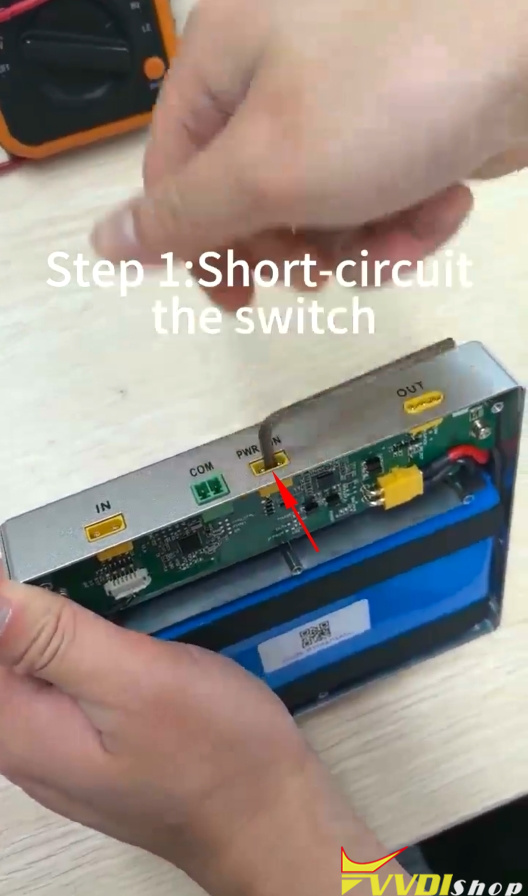
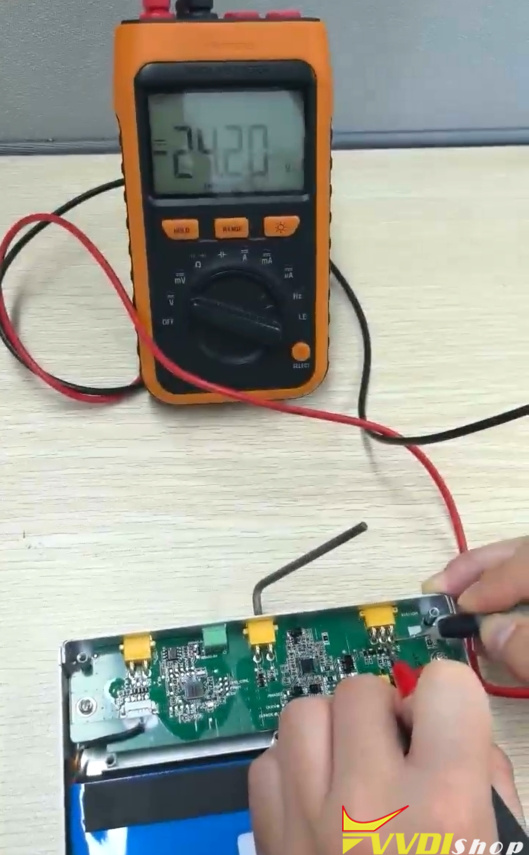
Test Xhorse Dolphin XP005L Battery BMS Board 1

Step 1: Short-circuit the switch,
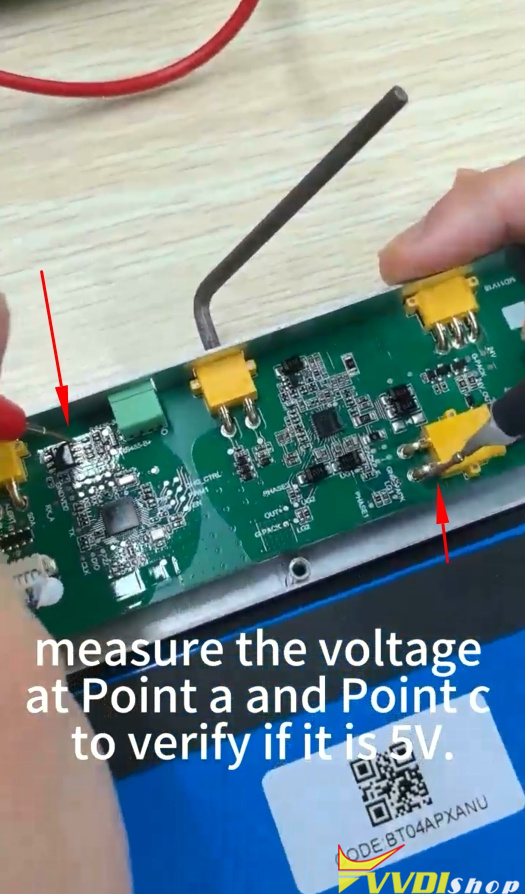
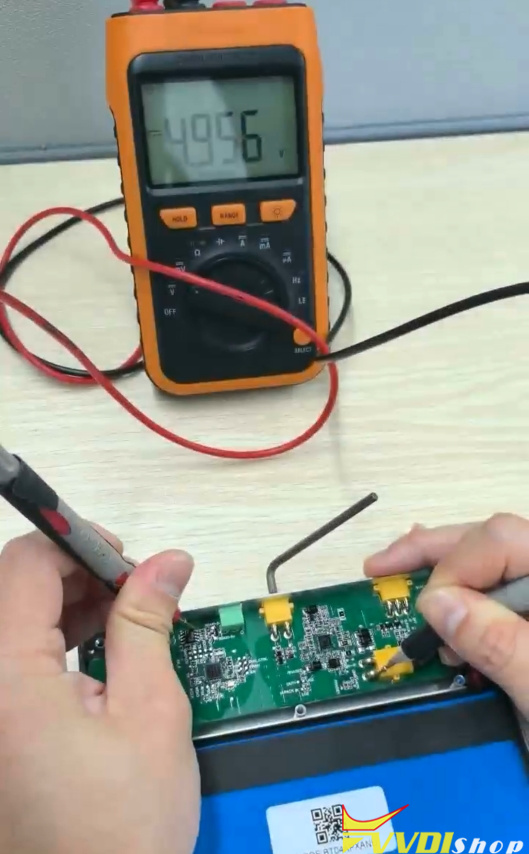
Measure the voltage at Point a and Point c to verify if it is 5V.

Test Xhorse Dolphin XP005L Battery BMS Board 2

Test Xhorse Dolphin XP005L Battery BMS Board 3

Test Xhorse Dolphin XP005L Battery BMS Board 4

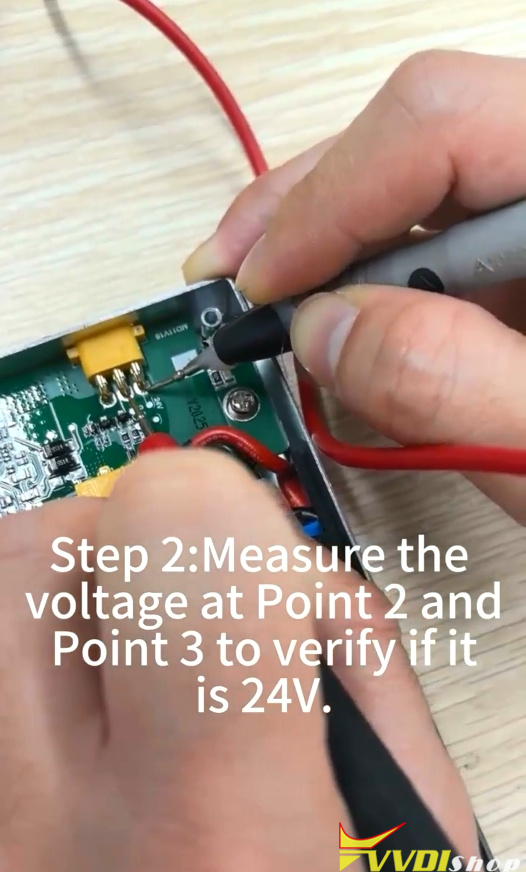
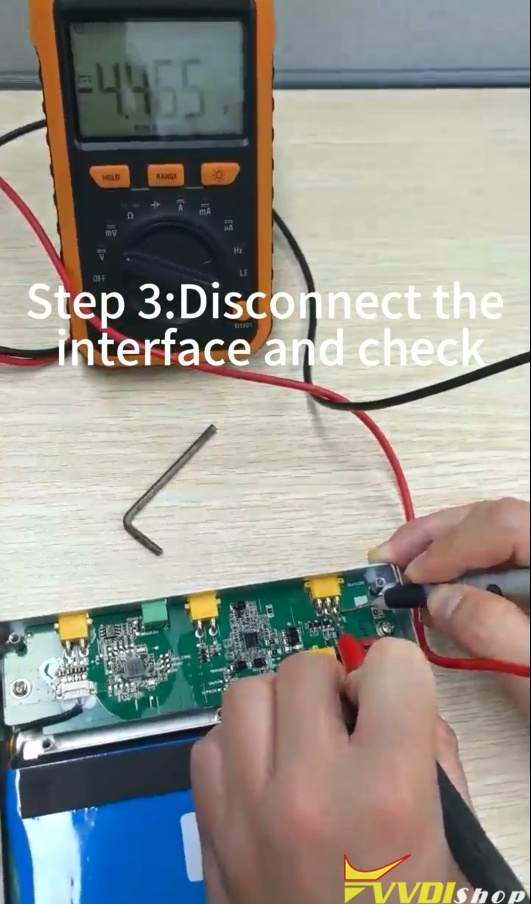
Step 2: Measure the voltage at Point 2 and Point 3 to verify if it is 24V.

Test Xhorse Dolphin XP005L Battery BMS Board 5

Test Xhorse Dolphin XP005L Battery BMS Board 6

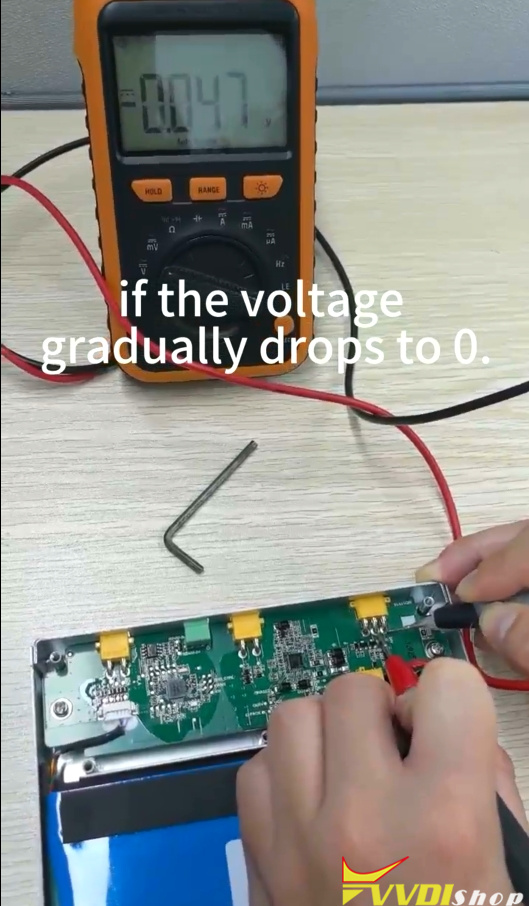
Step 3: Disconnect the short-circuit interface and check if the voltage gradually drops to 0.

Test Xhorse Dolphin XP005L Battery BMS Board 7

Test Xhorse Dolphin XP005L Battery BMS Board 8

If all the above readings are correct, it indicates that the battery is in good condition; otherwise, please record a video for our technical team to perform a further diagnosis.

www.vvdishop.com

4/09/2026

Xhorse Condor II and Dolphin II FAQs

This professional guide provides quick solutions for common technical issues involving the Xhorse Dolphin XP-005L and Condor XC-Mini Plus II. Learn how to resolve battery failures, motor issues, and account binding to optimize your key cutting performance.


  • Power & Battery

Q: What are the power requirements for the Condor XC-Mini Plus II?

A: The device operates on an input voltage of 90–264V AC or 24V DC. It has a rated power of 200W, so ensure your power source provides sufficient wattage for stable operation.

Xhorse Condor II and Dolphin II  FAQ 1

Q: Does the XC-Mini Plus II include a built-in battery?

A: No, the XC-Mini Plus II does not have an internal battery and requires a continuous external power supply.


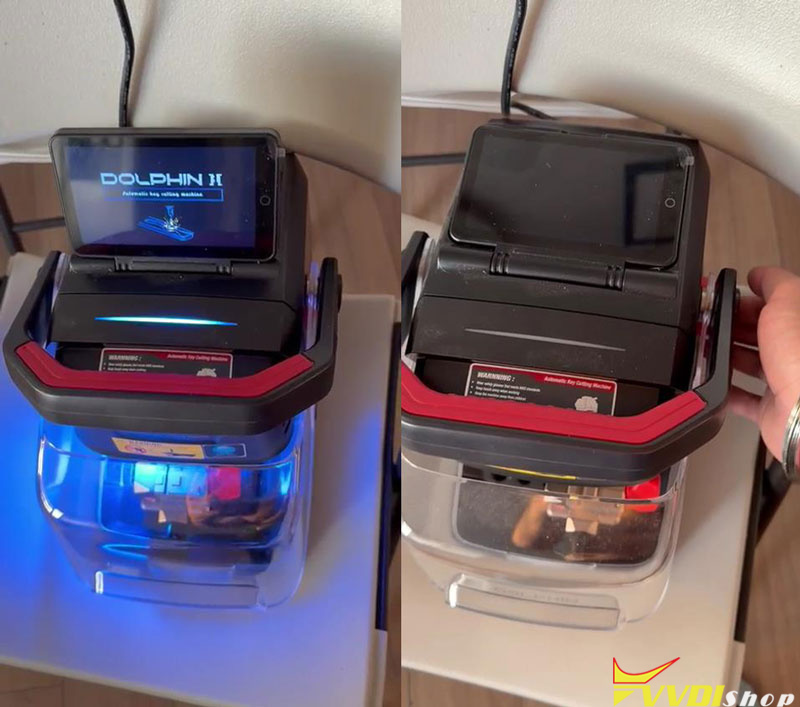
Q: My Dolphin XP-005L shuts down immediately when the adapter is unplugged. How do I fix it? A: This typically indicates a battery or protection board failure. Use a multimeter to check the battery voltage—referring to the “Measurement Method Of Dolphin Battery” guide—and provide your serial numberto technical support for a replacement.

Xhorse Condor II and Dolphin II  FAQ2


  • Mechanical & Motor Maintenance

Q: What should I do if the Dolphin XP007 cutter or motor is not rotating?

A: Open the device cover to inspect the drive belt. Check for breakage or misalignment and adjust as necessary. If the belt is intact but the motor remains unresponsive, record a diagnostic video for technical support to identify potential circuit board issues.

Xhorse Condor II and Dolphin II  FAQ 3

Xhorse Condor II and Dolphin II  FAQ 4

Software & Account Features

Q: How do I activate free tokens for my Dolphin device?

A: You must bind your Xhorse Key Cutting Machine and Key Tool Plus to the same Xhorse account. After binding, contact your sales representative to activate the service and begin receiving free tokens.

Xhorse Condor II and Dolphin II  FAQ 5


Q: Where can I find operational instructions for Dolphin machines?

A: The Xhorse App software provides integrated wiring diagrams and step-by-step prompts. Follow the in-app guidance for specific key cutting procedures.


Quick Maintenance Checklist

  • Replacement Parts: Always have your device Serial Number and shipping address ready for battery or belt claims.
  • Voltage Testing: Use a multimeter for accurate battery diagnostics before requesting parts.
  • Power Stability: Ensure the XC-Mini Plus II is connected to a source meeting the 200W requirement to avoid mid-operation failure.


11/20/2025

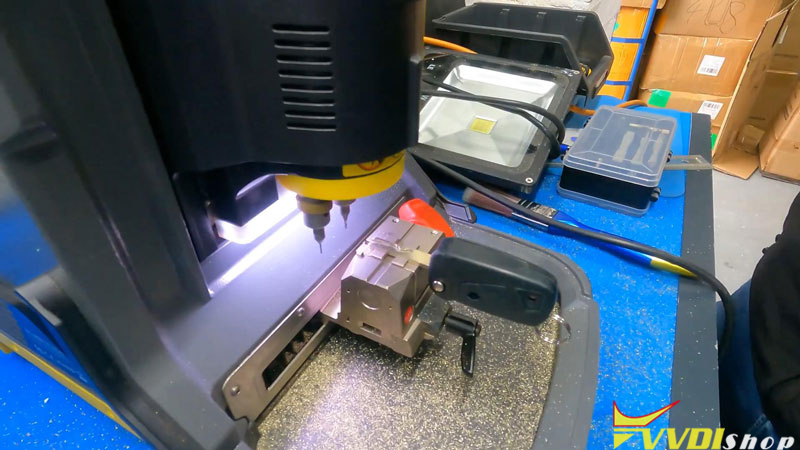
Xhorse Condor II Cut a Fiat SIP22 Key Blade

 Hey everyone, let’s walk through cutting a Fiat SIP22 blade using the Xhorse Key Cutting Machine – the Condor Mini Plus II. This key is used in most Fiats from around 2005 onward, so it’s something you’ll see often.


Step-by-Step Guide:

  1. Select the Key Profile
    On the CondorII, go to:
    Automotive → Brand/model → Fiat → Fiat 500 → SIP22.

Xhorse Condor II Cut a Fiat SIP22 Key Blade 1

Xhorse Condor II Cut a Fiat SIP22 Key Blade 2

Xhorse Condor II Cut a Fiat SIP22 Key Blade 3

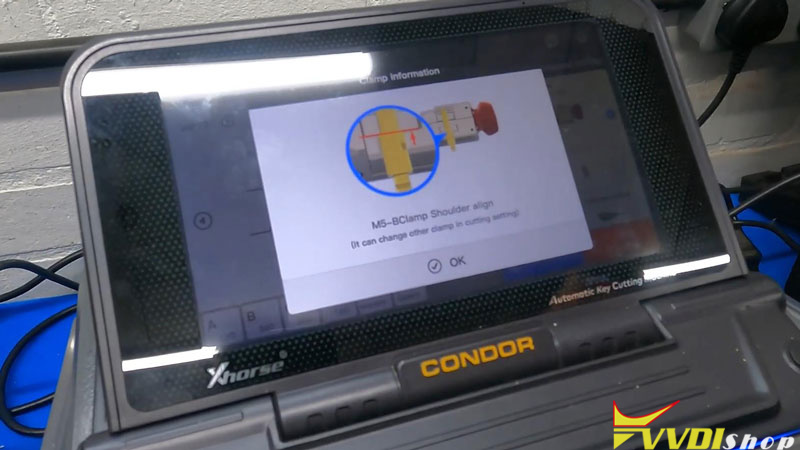
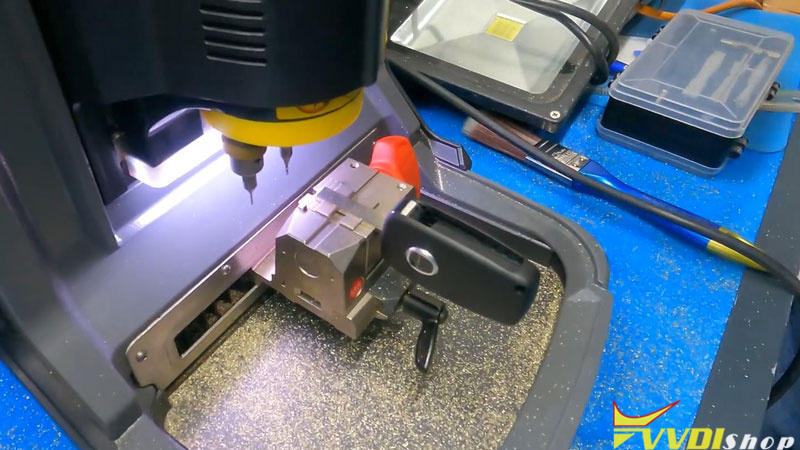
  1. Clamp the Original Key
    Use the M5-B Clamp and align the key shoulder. Make sure it sits flat and secure.

Xhorse Condor II Cut a Fiat SIP22 Key Blade 4

Xhorse Condor II Cut a Fiat SIP22 Key Blade 5

  1. Decode the Key
    Tap “Decode Key” on the screen. The machine reads the cuts-quick and accurate.

Xhorse Condor II Cut a Fiat SIP22 Key Blade 6

Xhorse Condor II Cut a Fiat SIP22 Key Blade 7

  1. Load the Blank
    Insert your new SIP22 blankthe same way. Clamp it tight.

Xhorse Condor II Cut a Fiat SIP22 Key Blade 8


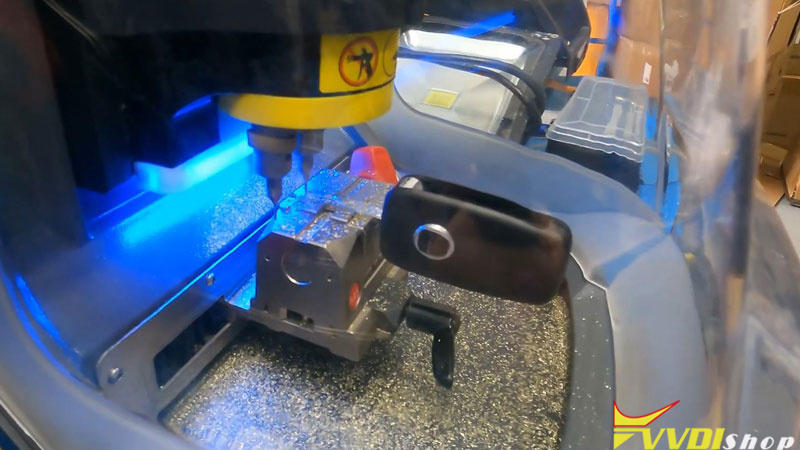
  1. Cut the Key
    Hit “Start Cutting” with default settings. The machine does the rest. Brush off the swarf after-important for conductivity!

Xhorse Condor II Cut a Fiat SIP22 Key Blade 9


  1. Flip and Repeat
    Turn the key over and cut the other side. Same process.


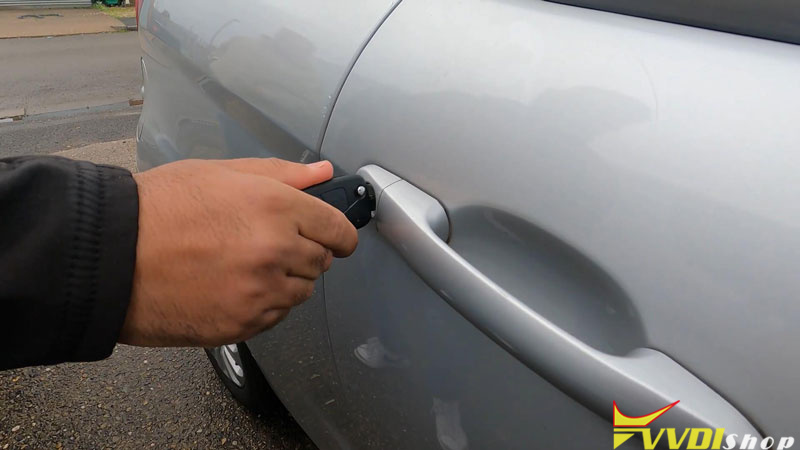
  1. Test the Key
    Once cut and cleaned, test it in the vehicle. Works like a charm!

Xhorse Condor II Cut a Fiat SIP22 Key Blade 10

My Take on the Xhorse Condor II:
This machine is a game-changer. It’s fast, easy to use, and super reliable-perfect for automotive keys like the SIP22. If you’re a locksmith looking for a no-fuss, efficient cutter, I highly recommend it.


www.vvdishop.com

9/01/2025

Xhorse Dolphin II Version Unchanged After Update via App?

 Problem:

I’ve updated the Xhorse Dolphin XP005L firmware via Xhorse app, but the version remains unchanged in the device after the upgrade. Any solution?

Xhorse Dolphin II Version Unchanged After Update via App 1

Xhorse Dolphin II Version Unchanged After Update via App 2

Solution:

Open the bottom cover of the Dolphin II, check the green connector (image below), disconnect it, and proceed with the upgrade again.

Once the upgrade is complete, reconnect the connector.

Xhorse Dolphin II Version Unchanged After Update via App 3

8/27/2025

Xhorse Condor XC-TWINS and Condor II Comparison

 What is the difference between 2025 new Xhorse Condor XC-TWINS and Condor XC-Mini Plus II (Condor II) key cutting machine?

Here comes the comparison:

ItemXhorse Condor IIXhorse Condor XC-TWINS
Imagexhorse condor iicondor xc-twins
Databaselarge key database, support car, motorcycle and household keys.more key database, support car, motorcycle and household keys.
Touch screen7-inch angle- adjustable capacitive touch screen. 1280*7207-inch angle- adjustable capacitive touch screen. 1280*720
SystemAndroidAndroid
Processor8 core processor8 core processor
WiFiYesYes
BluetoothYesYes
Built-in batteryNoNo
Net weight19kg21kg
Gross weight24kg26kg
Power200W150W
Motor Rotation speed10000rpm9000rpm
Protective shieldYesYes
LED indicatorYesYes
Household key cuttingYesYes, much more types
Offline operationYesYes
ManipulationStandaloneStandalone
Key blank carvingYesYes
All keys lostYesYes
Key 3D previewYesYes
Customized key dataYesYes

Brand-New Pressure Sensor Tech

 Yes

AI Optical Recognition

 Yes

Newly Double Cutter Design

 Yes
Optional key RecognitionYes (works with key reader)Yes (works with key reader)
ClampM5 clamp in default,Clamp M1, M2, M3, M4 optionalM3, M5L and M6 clamps in default,Clamp M4 optional
Cutters1.5mm, 2.0mm and 2.5mm milling cutters1.5mm, 2.0mm and 2.5mm milling cutters, extra 1.0mm milling cutter, 90 degree cutter, internal dimple cutter, external dimple cutter and optional 0.9mm milling cutter.
UpdateSystem, app, software, database, firmware update within machine, without upgrade kit on PCSystem, app, software, database, firmware update within machine, without upgrade kit on PC
Warranty1 year1 year

What’s new in Xhorse Condor XC-TWINS key cutting machine?


1.Newly Double Cutter Design

Supports cutting various keys (especially residential keys) without frequent cutter changes.

Newly Double Cutter Design

2.AI Optical Recognition

Equipped with a camera that automatically identifies key types and the valid position of the key, supports adjusting key blank sizes.

AI Optical Recognition

3.Brand-New Pressure Sensor Tech

Equipped with a built-in pressure sensor at the probe side, which helps avoid probe breaking.
Effortlessly identifies and cuts metal, plastic, and aluminum keys.

Brand-New Pressure Sensor Tech

4. Supports more household/residential key types

Supports more household/residential key types

5. Supports new clamps

Comes with M3, M5L and M6 clamp in default. Option M4 clamp.

Supports more clamps

with improved M5L clamp.

Longer handle.
condor xc-twins m5l clamp 1

condor xc-twins m5l clamp 2

condor xc-twins m5l clamp 3

M6 clamp

With M6 clamp to cut more key types.

condor xc-twins m6 clamp 1

Double-sided dimple key

condor xc-twins m6 clamp 2

Buyang dimple key

condor xc-twins m6 clamp 3

Single-side dimple key

condor xc-twins m6 clamp 4

6.Milling cutter.

Both Condor II and XC-TWINS supports 1.5mm, 2.0mm and 2.5mm milling cutters.
XC-TWINS also comes with a 1.0mm milling cutter, a 90 degree cutter, an internal dimple cutter, an external dimple cutter and an optional 0.9mm milling cutter.

condor xc-twins cutters 1
condor xc-twins cutters 2