Showing posts with label xhorse m5 clamp. Show all posts

4/10/2024

Xhorse Dolphin XP005 Not Decode B119 Key Blank Solution

 Problem:

My friend has problems with the Xhorse dolphin xp005 key cutting machine. It’s not cutting b119 keys correctly. They look identical but only turn on door and not ignition.

Xhorse Dolphin XP005 Not Decode B119 Key Blank

Here are possible solutions:

1. Do a recalibrating.  Recalibration should handle it,

Go into the app and calibrate it. Just did a couple b119 keys and it’s doing fine. Usually calibrate Dolphin once a month to stay on the safe side.


2. Make sure the original key if decoding from it with the machine that the key blade is clean of any dirt or debris this can cause a issue with improper read which results in only working one lock and not another.


3. Try universal duplication.


4. Upgrade to m5 clamp.


User Feedback:
Did recalibration. No luck. Change M5 clamp and M5 clamp worked.

10/26/2023

Xhorse Dolphin 2 Unable to Remove M5 Clamp Solution

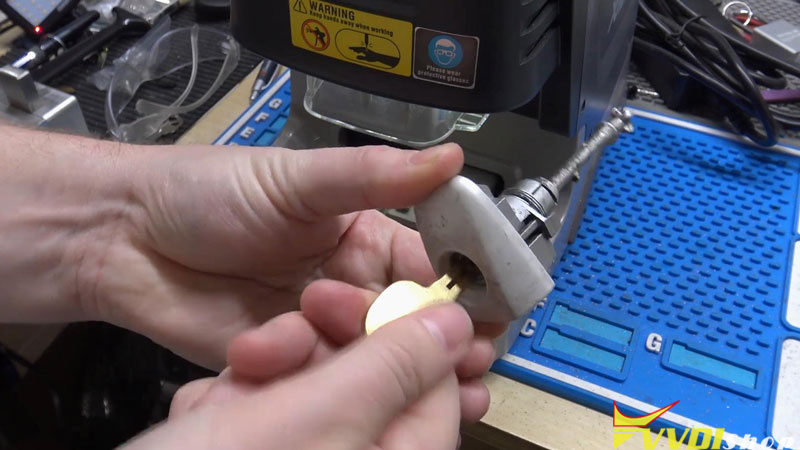
 Problem: My Xhorse Dolphin 2 is unable to remove M5 Clamp even when twisting the right red button for many times.


What’s wrong, any suggestions?

Xhorse Dolphin 2 Unable to Remove M5 Clamp 1

Xhorse Dolphin 2 Unable to Remove M5 Clamp 2

Xhorse Dolphin 2 Unable to Remove M5 Clamp 3

Solution

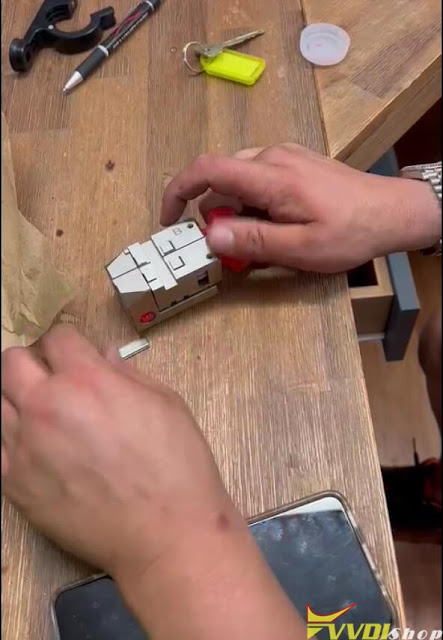
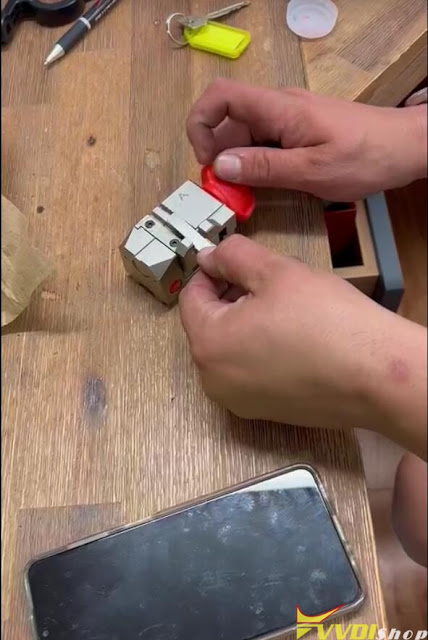
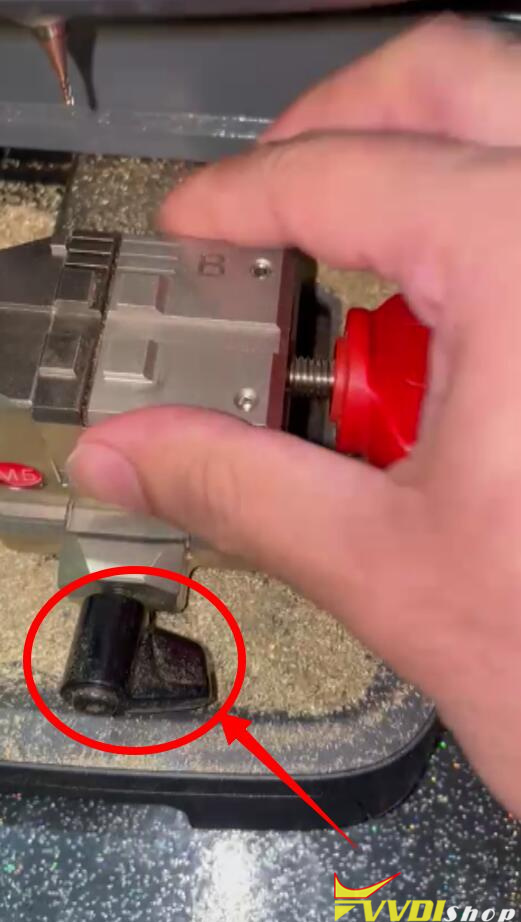
  1. Rotate the black button to remove M5 clamp;
  2. The reason why caused the issue is because M5 clamp is slipping and cannot hold the key properly. Try to tighten the clamp by turning to the opposite side of screw, and knock it hardly on the ground. This can fix the problem.

Xhorse Dolphin 2 Unable to Remove M5 Clamp 4


Technical Support

www.vvdishop.com

6/15/2023

Xhorse Dolphin XP005 M5 Clamp Cut Toyota Prius TOY48 Key

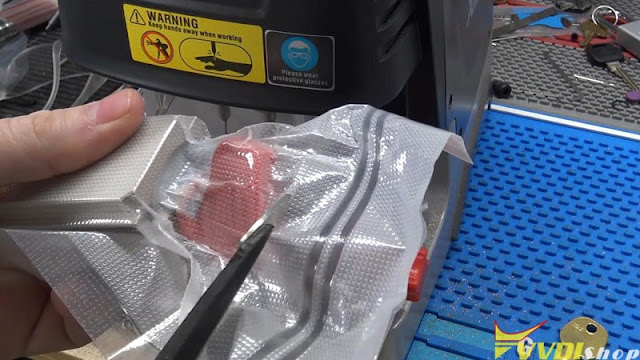
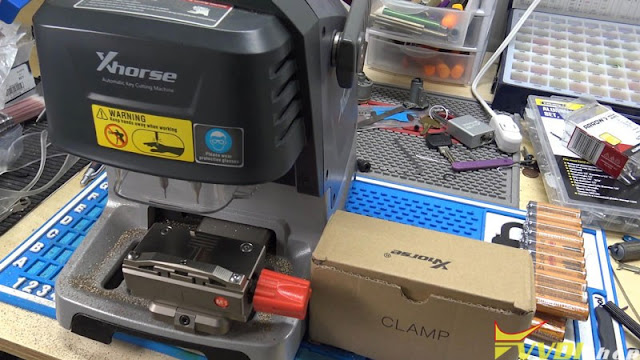
Xhorse released an update on the app that users can now use the M5 Clamp, which is a combination of M1 and M2 clamp on the Dolphin XP005. So I went on www.vvdishop.com and for about $249 dollars. I got a clamp. I’m gonna unbox it here.


I’ll put the M5 clamp on the machine to try it out. I do have to update my firmware and Xhorse app for this function. In terms of M5 clamp type, vacuum seal it is to keep it fresh, I guess.
Xhorse Dolphin XP005 M5 Clamp Cut Toyota Prius TOY48 Key 1

Xhorse Dolphin XP005 M5 Clamp Cut Toyota Prius TOY48 Key 2

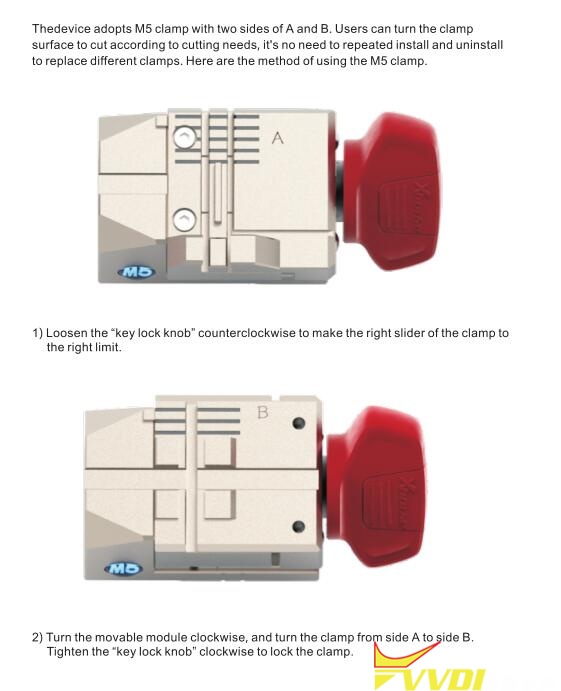
The cool thing about M5 clamp is that I don’t have to keep swapping them. Just open it all the way up and rotate it over to the B side, which is like the M2 clamp. You don’t need to swap the clamp back, which is really nice if you ever doing a lot of keys in one place.


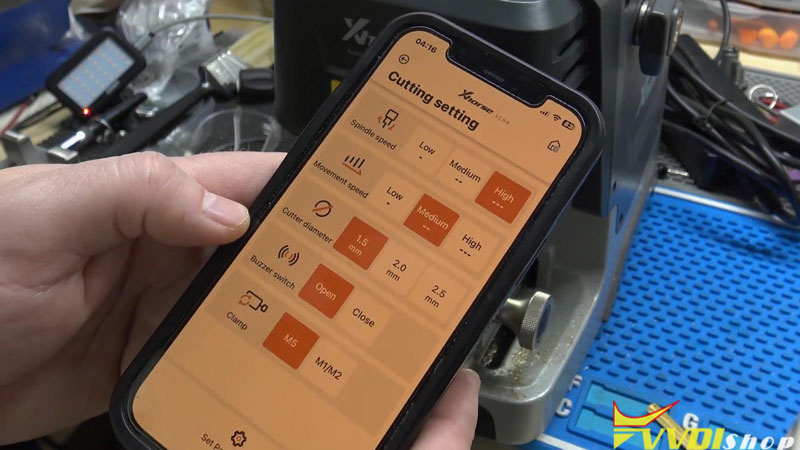
So I’m going to go ahead and loosen out slide off the M1 clamp. Do a little house cleaning , then install the M5 clamp. Crank it down, power on the machine. To be sure, M5 clamp doesn’t need a calibration, but it needs to be set up.


Open app, connect to Xhorse Dolphin:

Device information >> Cutting setting >> Clamp >> M5 >> Set parameters

Setting parameter success.
Xhorse Dolphin XP005 M5 Clamp Cut Toyota Prius TOY48 Key 3

Xhorse Dolphin XP005 M5 Clamp Cut Toyota Prius TOY48 Key 4

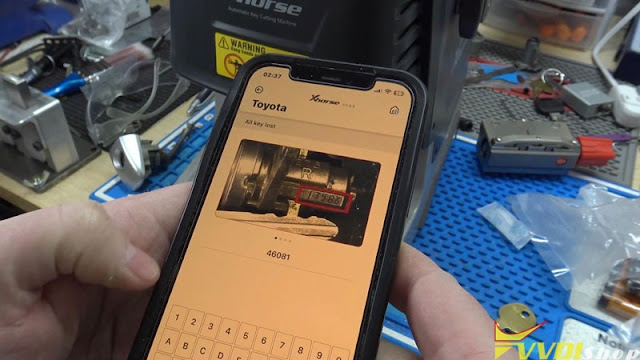
Following I’m going to cut a Toyota Prius TOY48 key for a test.

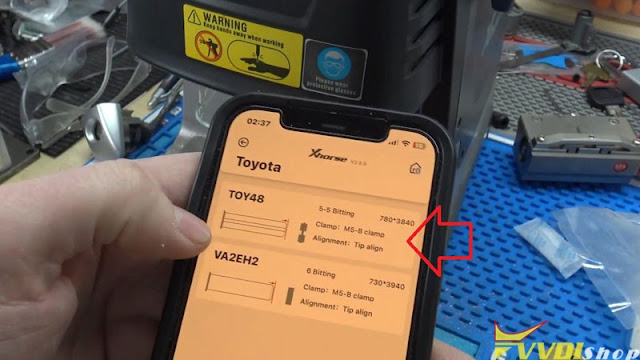
All keys lost >> Toyota >> Inter key code: 46081 >> TOY48

It says to use M5 clamp B side, tip align line 2.

Xhorse Dolphin XP005 M5 Clamp Cut Toyota Prius TOY48 Key 5

Xhorse Dolphin XP005 M5 Clamp Cut Toyota Prius TOY48 Key 6

Xhorse Dolphin XP005 M5 Clamp Cut Toyota Prius TOY48 Key 7

Xhorse Dolphin XP005 M5 Clamp Cut Toyota Prius TOY48 Key 8

I have a Dolphin 2 as well. The knob is actually different. But as long as it works, it doesn’t really matter. After tightening the key blank, here we go.

OK >> Cut key >> Cut

The Dolphin starts cutting…

After finishing, flop it around to cut the second side.


Key cutting is now completed.

Take out the key to test if it works.

Alright, key goes in, and it turns perfectly. There’s no calibration here but M5 clamp can actually index the key and cut by code well.


This is the M5 clamp on Xhorse Dolphin XP005 key cutting test review.

Xhorse Dolphin XP005 M5 Clamp Cut Toyota Prius TOY48 Key 9

Xhorse Dolphin XP005 M5 Clamp Cut Toyota Prius TOY48 Key 10

www.vvdishop.com

3/30/2023

Xhorse Dolphin XP005 Cut Lexus TOY48 with M5 Clamp

 Since Xhorse announced the M5 Clamp has already been compatible with old Dolphin XP005 & Condor XC-Mini Plus key cutting machine, I’m gonna have a try today. Before that, please make sure your software and firmware were upgraded to the latest version.


The M5 clamp allows users to cut high security and edge cut using the same clamp by rotating from A to B side. No more to disassemble M1 or M2 clamp again and again.


Procedure

  1. Installation

The first thing we need to do is to install the M5 clamp on Dolphin XP005.

Xhorse Dolphin XP005 Cut Lexus TOY48 with M5 Clamp 1

  1. Set Cutting Parameters

Device information >> Cutting setting >> Selected M5 clamp

Xhorse Dolphin XP005 Cut Lexus TOY48 with M5 Clamp 2

  1. Cut Key

All key lost >> Lexus >> Enter lock code: 44137

As we can see, it’s telling to use the M5 clamp B side, tip align Align line 2.

Rotate M5 clamp to B side, then install a key blank firmly.

Start cutting key…

The Xhorse Dolphin can work as usual.

Xhorse Dolphin XP005 Cut Lexus TOY48 with M5 Clamp 3

Xhorse Dolphin XP005 Cut Lexus TOY48 with M5 Clamp 4

Xhorse Dolphin XP005 Cut Lexus TOY48 with M5 Clamp 5

Xhorse Dolphin XP005 Cut Lexus TOY48 with M5 Clamp 6


After successfully cutting 2-sides, take out the Lexus key for a test.

It can actually open the lock.


As expected, the Dolphin 1 can work with M5 clamp without problems! It should also perfectly do with other Xhorse Key Cutting Machines as it claimed.

Xhorse Dolphin XP005 Cut Lexus TOY48 with M5 Clamp 7

www.vvdishop.com

2/28/2022

How to Fix Xhorse M5 Clamp Cannot Gripe Keys?

 Problem:

I just got the new xhorse condor ii key cutting machine and had a problem with the new m5 clamp as B side is not gripping the keys correctly.

Fix Xhorse M5 Clamp Cannot Gripe Keys 1

Fix Xhorse M5 Clamp Cannot Gripe Keys 2

Fix Xhorse M5 Clamp Cannot Gripe Keys 3

Solution:

Fix Xhorse M5 Clamp Cannot Gripe Keys 4

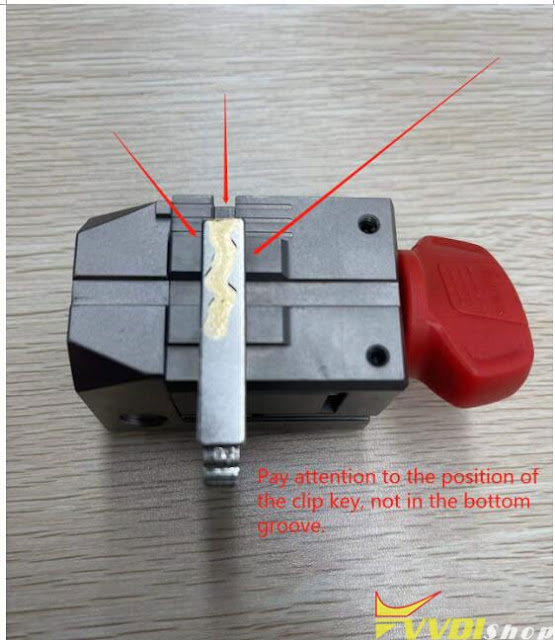
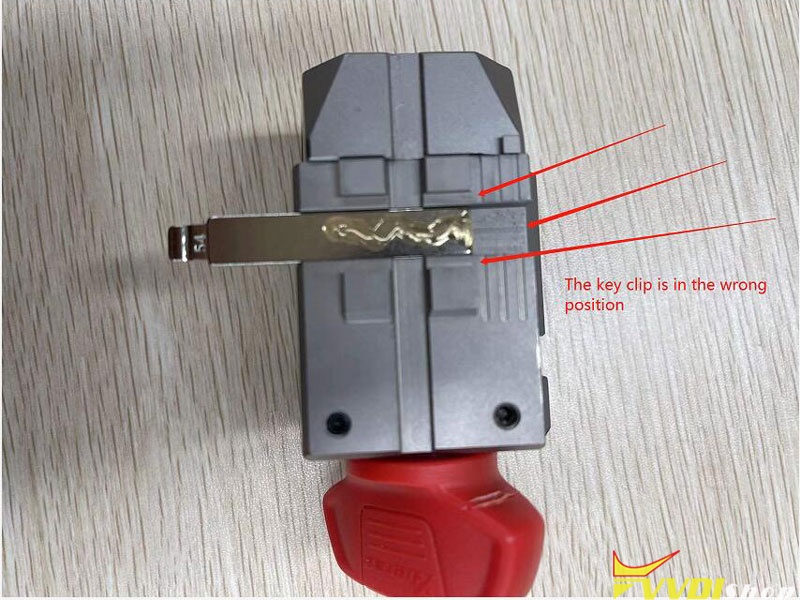
Pay attention to the position of the clip key, not in the bottom groove.

Fix Xhorse M5 Clamp Cannot Gripe Keys 5

The key clip is in the wrong position.

10/20/2021

Xhorse Dolphin II XP005L and Dolphin XP005 Comparison

 What’s the difference between the new Xhorse Dolphin XP005L (Dolphin II) and Dolphin XP005 key cutting machine?


Similarities: 

same database

same function

with built-in lithium battery

light weight

both can be controlled by Xhorse app


Differences: 


  • Adjustable HD Touch Screen

XP005L: Yes, operate via touch screen directly or operate via Xhorse App on mobile phone/key tool max/key tool plus. New UI interface, easy & smart to control. Supports 0-90 degrees angle adjustment, 5 inch high definition tablet screen to minimize eye fatigue.

XP005: No

Xhorse Dolphin II XP005L and Dolphin XP005  1


  • Intelligent Colorful Indicator Lights

XP005L: Yes,

The indicator light changes color according to different real-time working status.

Red light – false alarm/error warning

Blue light – normal operation

Yellow light – information notification

XP005: No

Xhorse Dolphin II XP005L and Dolphin XP005 2

  • Movable Transparent Protective Shield

XP-005L: Yes, More neater and safer. Clearly shows key cutting status all the time, prevents metal debris from spattering during processing.

XP005: No

Xhorse Dolphin II XP005L and Dolphin XP005 3

  • Upgrade Lengthen Working Space

XP005L expands cutting space to keep stable & secure, more reliable and powerful.


  • Clamp

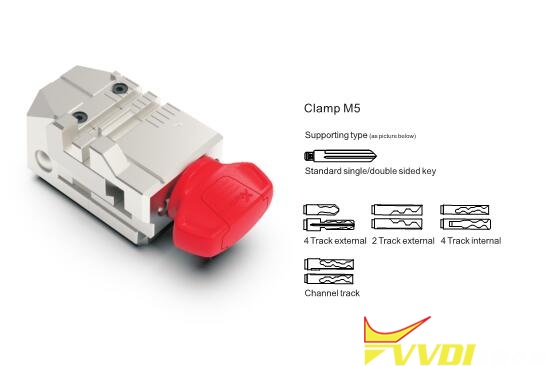
Dolphin XP-005L comes with M5 2 in 1 clamp in default. M5 clamp= M1 + M2 clamp.  M5 clamp can be used with Dolphin II and Condor Mini Plus II only.

XP005L is compatible with old M1 and M2 fixture as well. But XP005 is not compatible with M5 clamp.


Xhorse Dolphin II XP005L m5 clamp 1

M5 Clamp instruction

Xhorse Dolphin II XP005L m5 clamp 2

www.vvdishop.com