6/18/2026

Cut Medeco M3 Household Key with Xhorse Condor XC-TWINS

Today we will demonstrate how to decode and cut a Medeco M3 household key using Xhorse Condor XC-TWINS key cutting machine.

Cut Medeco M3 Household Key with Xhorse Condor XC-TWINS 1

Cut Medeco M3 Household Key with Xhorse Condor XC-TWINS 2
This key has 6 cuts.
Each cut can have 3 different angle possibilities, and for the same angle, there is also a fore-and-aft position difference.
The lock cylinder has high precision and a complex structure.

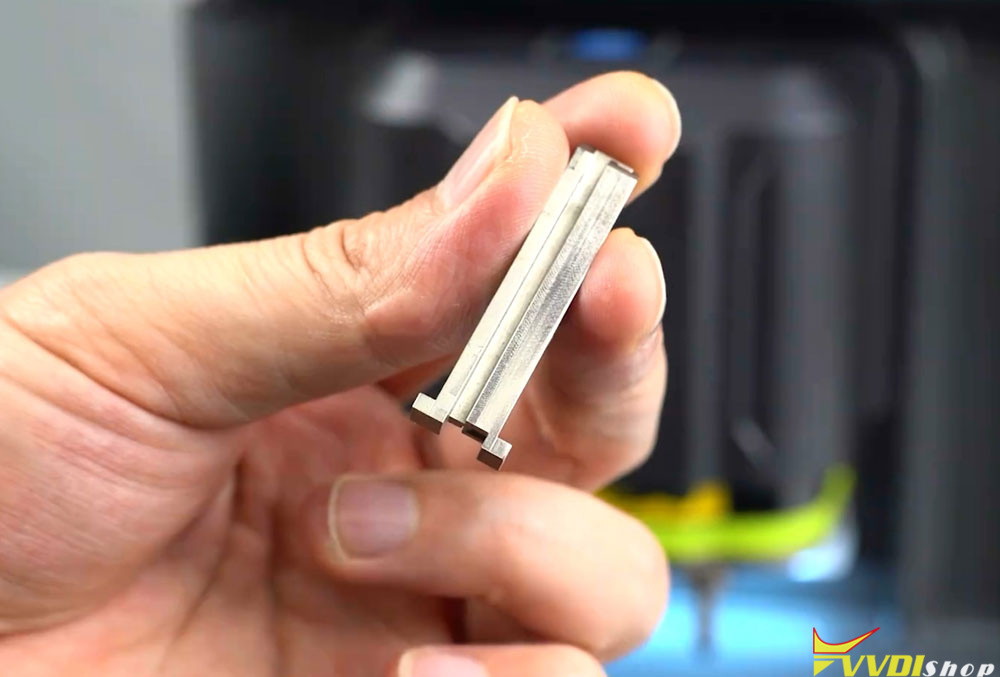
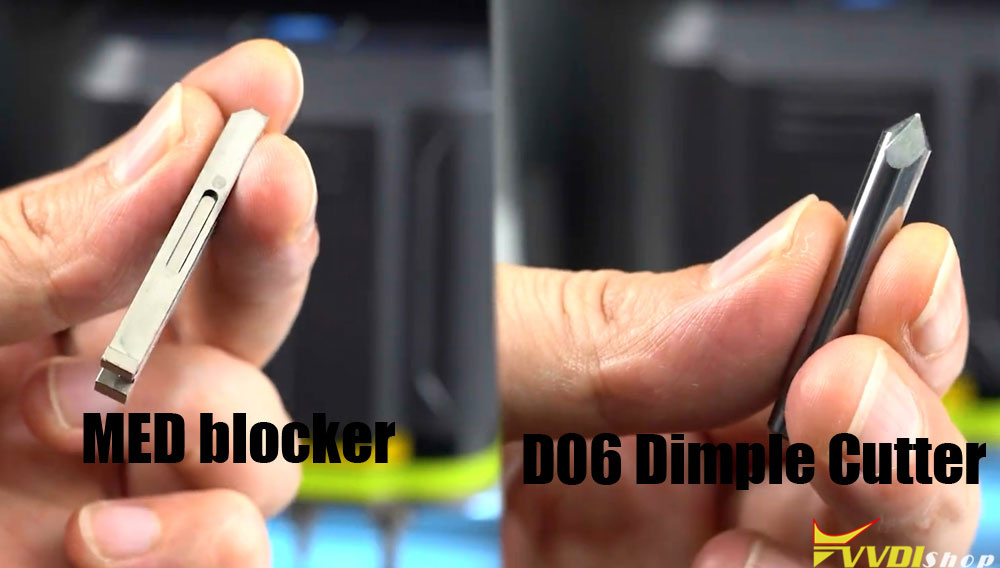
When decoding this key, you need a dedicated MED key spacer block and a D06 milling cutter.

Cut Medeco M3 Household Key with Xhorse Condor XC-TWINS 3

Cut Medeco M3 Household Key with Xhorse Condor XC-TWINS 4

Select Household key function  All region Medeco  M3  6-teeth.

Cut Medeco M3 Household Key with Xhorse Condor XC-TWINS 5
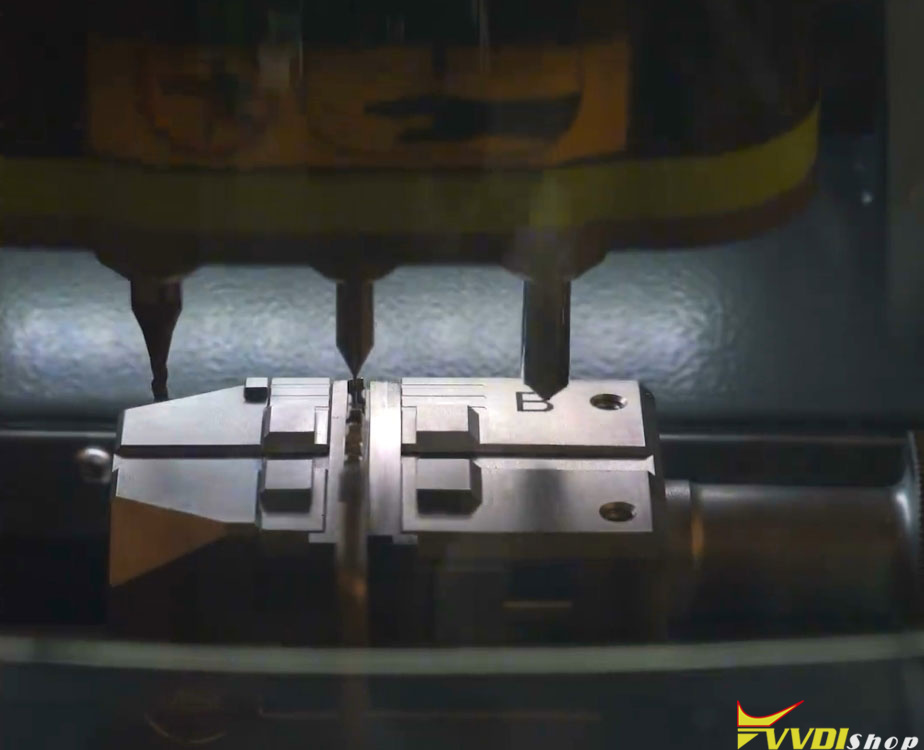
Take the MED spacer block and place it onto the M5L clamp. The shoulder of the spacer block must rest against the outer edge of theclamp.

Cut Medeco M3 Household Key with Xhorse Condor XC-TWINS 6

Insert the original key into the MED spacer block.

Cut Medeco M3 Household Key with Xhorse Condor XC-TWINS 7
The key shoulder must also rest against the outer edge of the spacer block for shoulder positioning.

Once the key is secured, click Decode Key.
The machine will automatically decode the key’s cut numbers and angles.
Key learning successful.

Cut Medeco M3 Household Key with Xhorse Condor XC-TWINS 8

Insert a new key blank, again making sure the key shoulder rests against the outer edge of the spacer block for shoulder positioning.

Cut Medeco M3 Household Key with Xhorse Condor XC-TWINS 9
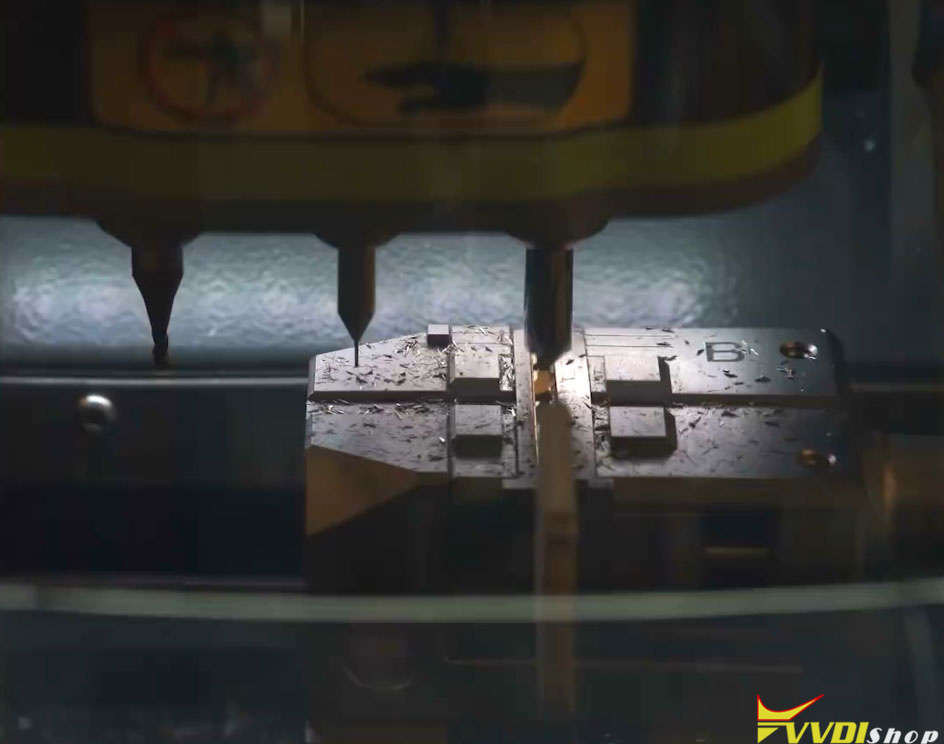
Install the dedicated D06 milling cutter and set it up properly.
Key cutting is successful.

Cut Medeco M3 Household Key with Xhorse Condor XC-TWINS 10

Cut Medeco M3 Household Key with Xhorse Condor XC-TWINS 11

Cut Medeco M3 Household Key with Xhorse Condor XC-TWINS 12

6/11/2026

Xhorse Dolphin XP005 Error Code 6/56/3 Solution

Xhorse Dolphin XP005/XP005L key cutting machine displays error 6/56/3 while decoding or cutting keys, indicating that there is a problem with the conductivity of the machine.

Xhorse Dolphin XP005 Error Code 6/56/3 Solution 1

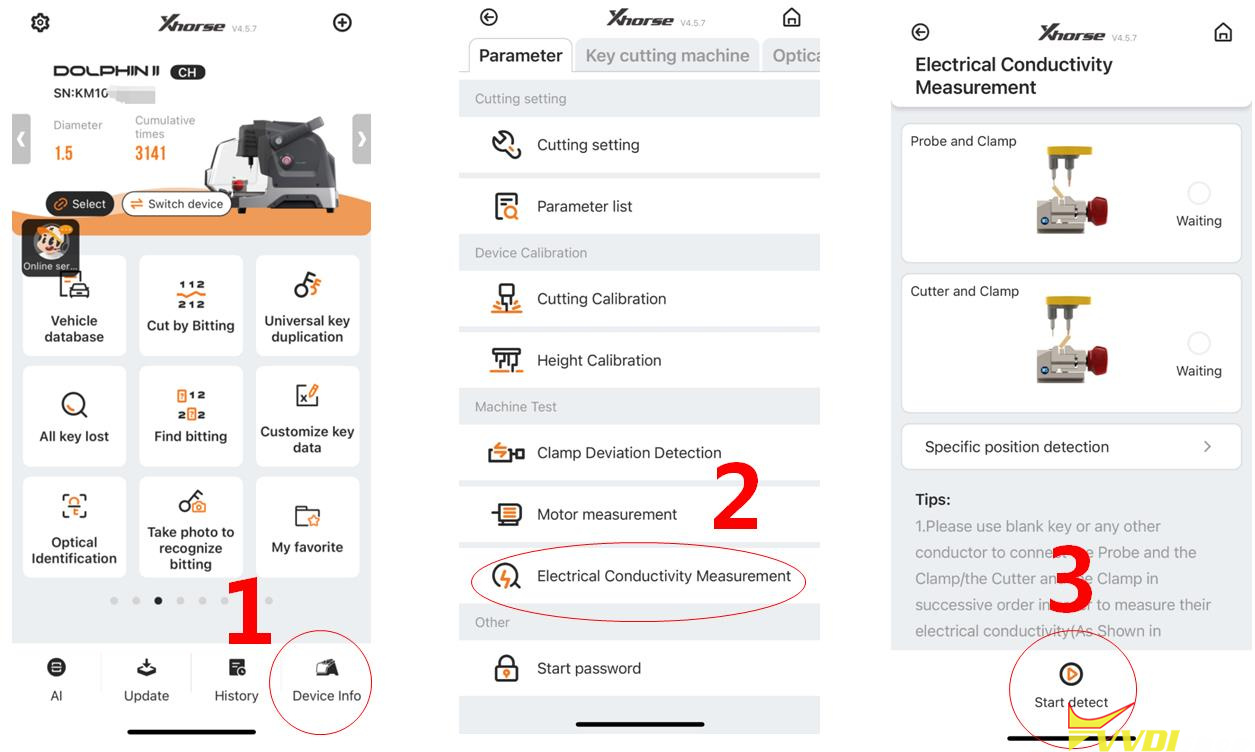
Please follow the steps on the following page to enter the conductivity measurement interface for relevant testing.


Go to Device Info- Electrical Conductivity Measurement-Start Detect.

Xhorse Dolphin XP005 Error Code 6/56/3 Solution 2

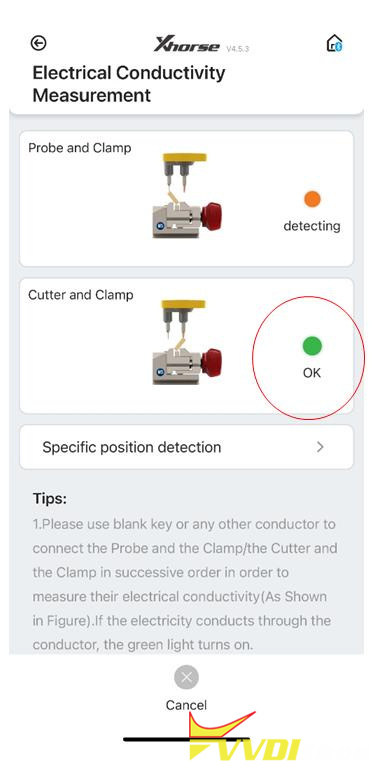
After entering the testing interface, click on start to test. If the connection has not been made according to the prompts on the diagram, the cutter will directly display OK, indicating that the device cutter is in a short circuit state;

Xhorse Dolphin XP005 Error Code 6/56/3 Solution 3

Solution:

If the cutter is in a short circuit condition, first remove the back cover and front cover of the device.

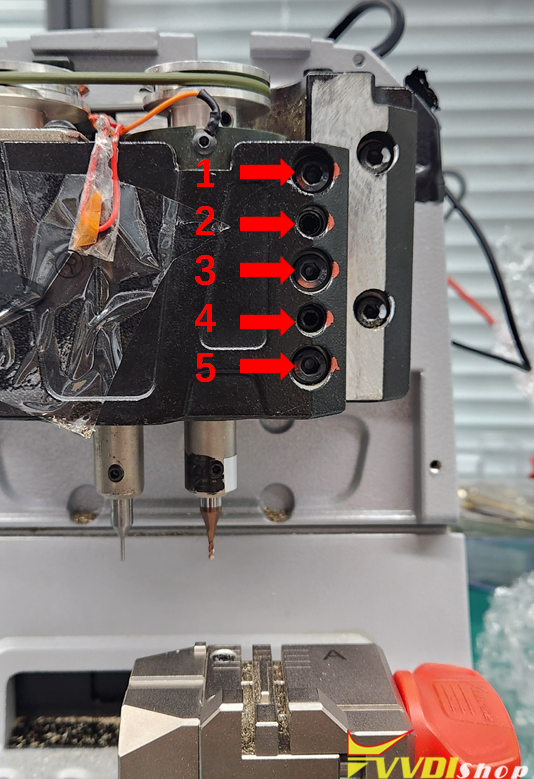
Then turn counterclockwise to loosen the screws 1, 3, and 5 in the figure on the right, and remove these three screws,

Then tighten the screws 2 and 4 in the right figure clockwise, and push open the black metal structural component,

Remove the main axis assembly connected to the cutter again.

Xhorse Dolphin XP005 Error Code 6/56/3 Solution 4

Pull the main axis assembly upwards and observe if the white insulation paper is damaged.

If it is damaged, please replace this insulation paper,

If there is no damage, remove the entire main axis and clean the iron filings inside,

The usual reason is that the cutter is in a short circuit state due to iron filings at the bottom, after cleaning, reinstall the screws, when installing screws, pay attention to the order.

First, loosen the screws 2 and 4 in the diagram on the previous page clockwise, then tighten the screws of 1, 3, and 5.

Xhorse Dolphin XP005 Error Code 6/56/3 Solution 5

www.vvdishop.com