4/11/2024

Xhorse Condor XC-002 Pro Unboxing and Review

 Xhorse Condor XC-002 Pro is the 2024 latest key cutting machine that I’ve got today. The machine is large and massive but simply excellent. When I took it in my hands, I realized that this was the best machine that I had. Now I’ll try to make a quick review for your guys.

Xhorse Condor XC-002 Pro Unboxing and Review 1

The clamp is fixed by simply turning. I found there are 3 positions: A/B/C. Once I chose a well position, it’ll just be a convenient distance to the nearest vice. We generally clamp it with just one turn.


And then, what can these vices do? They can cut at any angles.


For example, to cut English-type keys or car keys. Inserted, clamped, set and cut accordingly key wave.


We take similar keys in which they are angular, the holes are made at an angle. The side clamp is suitable for this. We can set the desired angle and start cutting.

Xhorse Condor XC-002 Pro Unboxing and Review 2

Xhorse Condor XC-002 Pro Unboxing and Review 3

Xhorse Condor XC-002 Pro Unboxing and Review 4

Xhorse Condor XC-002 Pro Unboxing and Review 5

Xhorse Condor XC-002 Pro Unboxing and Review 6

The clamp has a feat on itself and it fixes it from moving like this. This is such a convenient design.


Instead of the usual hexagonal clamp, to replace the cutter, you literally need to put the right one in a second and tighten it back. And the cutter is in.


Here shows the switching mode to the hole pattern.

There’s an adjustment, electronic adjustment, alignment of the cutter, and it even shows which way to turn. Now it shows screw it in. Here, bring it this direction. The green light is on, the cutter is set.


When you work with the keys, you don’t need to turn on and off button. The machine turns on automatically when lowered. The handle here is used to adjust the speed. Handle these quick-release cutters is just the second change. No need to click on or off the button. Just pull the handle down, then it worked and instantly adjust the positions of the vice.


In the planes, you don’t need to unscrew anything to tighten. It’s all done simply with your fingers. It’s very convenient. Everything is cool and the price will also be great.

Xhorse Condor XC-002 Pro Unboxing and Review 7

Xhorse Condor XC-002 Pro Unboxing and Review 8

Xhorse Condor XC-002 Pro Unboxing and Review 9

Besides, there’s something in the side clamp. You can clamp such a key with this one. If it interferes, just insert it to the opposite direction. The clamp is very functional. In principle, most key types can be fit on.


The Condor XC-002 Pro booklet is clear. Here are what we can get from the package: a brush, 1 probe, 2 cutters, several stops and spacers for better clamping.


That’s all today’s review.

Xhorse Condor XC-002 Pro Unboxing and Review 10

Xhorse Condor XC-002 Pro Unboxing and Review 11

https://www.vvdishop.com/service/xhorse-condor-xc-002-pro-review.html


4/10/2024

Xhorse Dolphin XP005 Not Decode B119 Key Blank Solution

 Problem:

My friend has problems with the Xhorse dolphin xp005 key cutting machine. It’s not cutting b119 keys correctly. They look identical but only turn on door and not ignition.

Xhorse Dolphin XP005 Not Decode B119 Key Blank

Here are possible solutions:

1. Do a recalibrating.  Recalibration should handle it,

Go into the app and calibrate it. Just did a couple b119 keys and it’s doing fine. Usually calibrate Dolphin once a month to stay on the safe side.


2. Make sure the original key if decoding from it with the machine that the key blade is clean of any dirt or debris this can cause a issue with improper read which results in only working one lock and not another.


3. Try universal duplication.


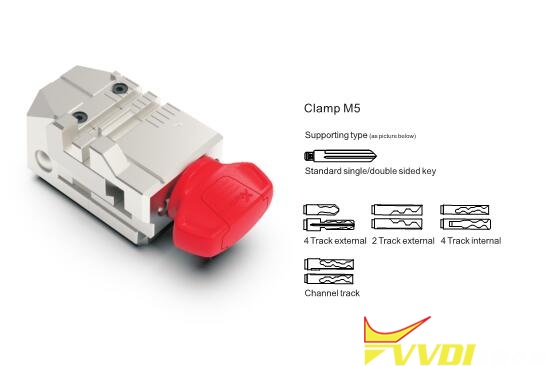
4. Upgrade to m5 clamp.


User Feedback:
Did recalibration. No luck. Change M5 clamp and M5 clamp worked.

Tips to Decode GM B106 Key Blank with Xhorse Dolphin XP005

 Problem:

Anyone have problems with your machine decoding B106 key blank or any gm keys including old gm single side cut.? I can’t get my Triton or Xhorse Dolphin XP005 to decode them accurately? If I cut by code they work every time just won’t decode them. Any solution?

Decode GM B106 Key Blank with Xhorse Dolphin XP005

Possible solutions:

1. When can’t get Xhorse dolphin to decode something use the universal duplicator function to cut a key.

2. If the tip is worn they will read improper. You eyeball them and put it in fill to verify that it’s a good code.

3. Sight read. Decode with your eyes.

4. Get good at eyeballing the cuts on the key. B106 is easy. If the cut goes below the milling groove, then it’s a 5. if its at the milling groove, but doesn’t cut into it, it’s a 4. The rest you can figure out by how high or low they are relative to each other. You’re only really sight-reading 3 different depths at that point. Hold a blank key behind the worn out key if it helps you. If that still doesn’t help, buy a Lishi and decode the door lock to figure out over half of the cuts and sight-read the rest off of the blade. Use cuts-to-code software if you want to verify a valid cut combination.
If all of that fails, get the ignition to turn over once more. Usually the worn key just needs to be pulled out a tad, because the tip is worn down and give it the ol’ GM jiggle. Then pull the ignition and read the code or read the wafers inside.


www.vvdishop.com

4/06/2024

Xhorse Dolphin II Update Bios System Error Solution

 Problem:

I failed to update Xhorse Dolphin XP005L firmware from 3.2.1 to 3.2.4 within tablet. After upgrade it went back to version 3.2.1 and gave the error “Charging board in BIOS mode”, any solution?

Xhorse Dolphin II Update Bios System Error  `

Xhorse Dolphin II Update Bios System Error  2

Xhorse Dolphin II Update Bios System Error  3

Xhorse Dolphin II Update Bios System Error  4

VVDISHOP solution:


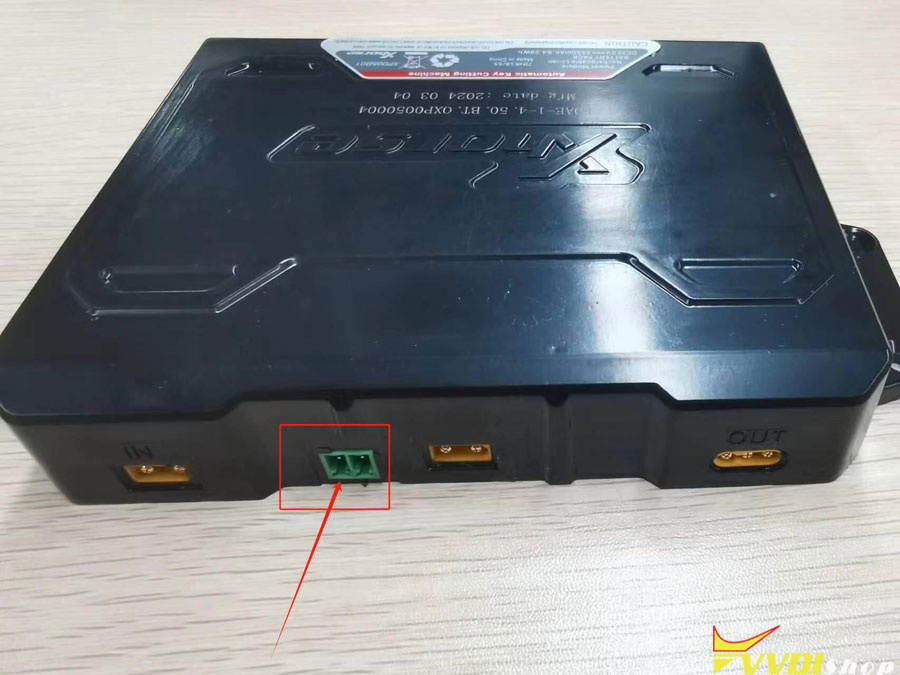
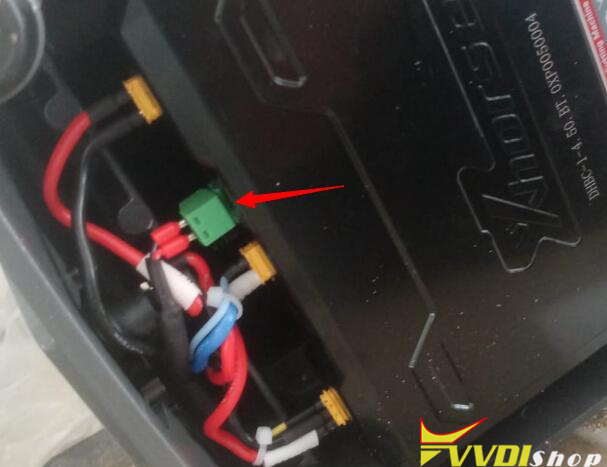
Unplug the green communication cable of the battery pack (image below).

Xhorse Dolphin II Update Bios System Error 5

Xhorse Dolphin II Update Bios System Error 6
Turn on Dolphin II and update firmware again.
Then turn off the machine, reconnect the green cable of the battery, update again.

3/26/2024

How to Test Xhorse Condor Mini Battery Voltage?

 If you cannot turn on Xhorse Condor XC-Mini, Condor XC Mini Plus or Condor II key cutting machine, you may need to test the 24v voltage output of the battery to check if needs a battery replacement.

Test Xhorse Condor Mini Battery Voltage 1

Follow this way to test Xhorse Condor battery:

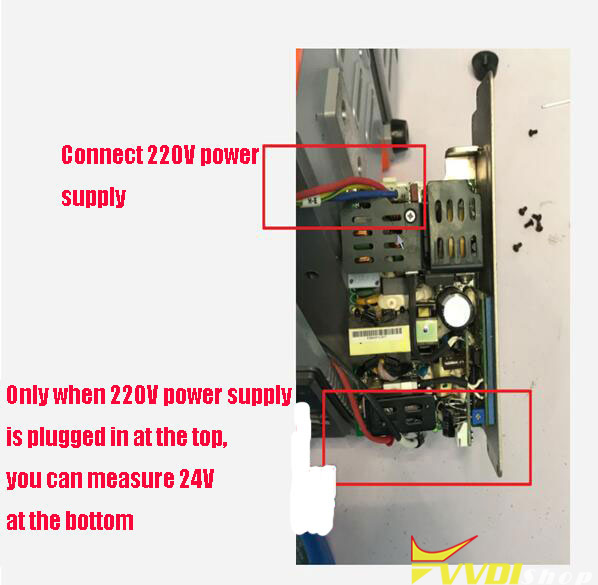
1.Remove these screws to take out the battery.

Test Xhorse Condor Mini Battery Voltage 2

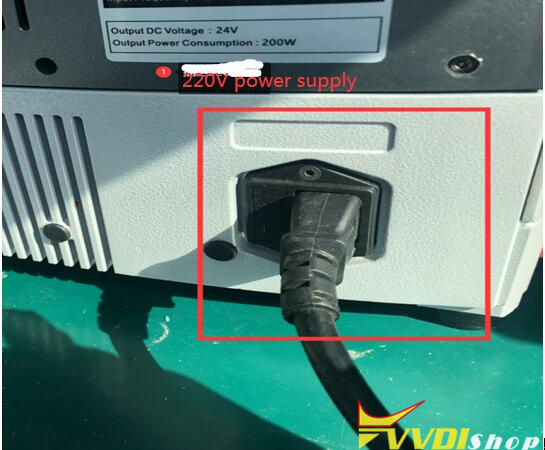
2.Connect 220V power supply on the top

Test Xhorse Condor Mini Battery Voltage 3

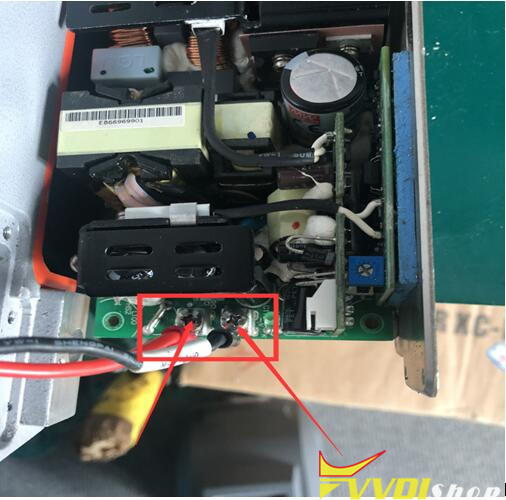
Only when 220V power supply is plugged in at the top, you can measure 24V voltage output at the bottom. If you power the 220V but cannot measure 24V voltage, there is a problem with the battery or power supply.  If there is no 24V voltage output, the battery does not charge and needs to be replaced.

Test Xhorse Condor Mini Battery Voltage 4

Test Xhorse Condor Mini Battery Voltage 5

3/19/2024

Xhorse Dolphin XP005L No M3 Clamp Menu?

 Question:

I would like to know how to duplicate a sx9 key with Xhorse Dolphin II.
I can’t find the M3 clamp in the machine menu.

Xhorse Dolphin XP005L No M3 Clamp Menu 1

Xhorse Dolphin XP005L No M3 Clamp Menu 2

Answer:

Don’t need to choose M3 clamp option in settings.

Direct replace M3 clamp when cutting sx9 key (or other tibbe keys)

Xhorse Dolphin XP005L No M3 Clamp Menu 2


Read also:

How to Tighten Xhorse M3 Clamp for Condor/Dolphin?

3/14/2024

How to Enable Xhorse Dolphin XP005L Developer Mode?

 If your Xhorse dolphin xp005l (dolphin ii) key cutting machine does not bring new updates and whenever you update it stucks on screen, you may need to enter developer mode to update firmware.

enable xhorse dolphin xp005l developer mode 1

enable xhorse dolphin xp005l developer mode 2

Here is the guide to enter developer mode.

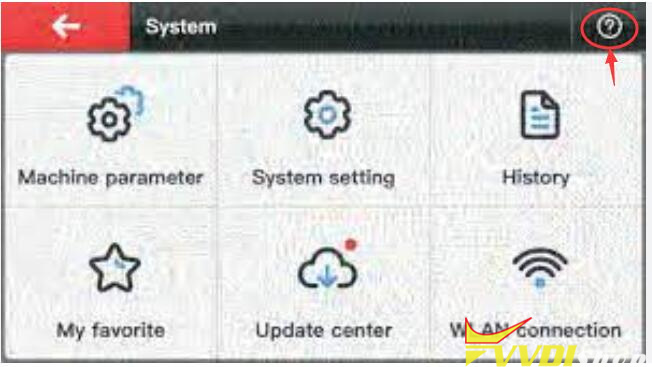
Go to System

enable xhorse dolphin xp005l developer mode 3

Press the question mark icon on the right top of the screen

enable xhorse dolphin xp005l developer mode 4

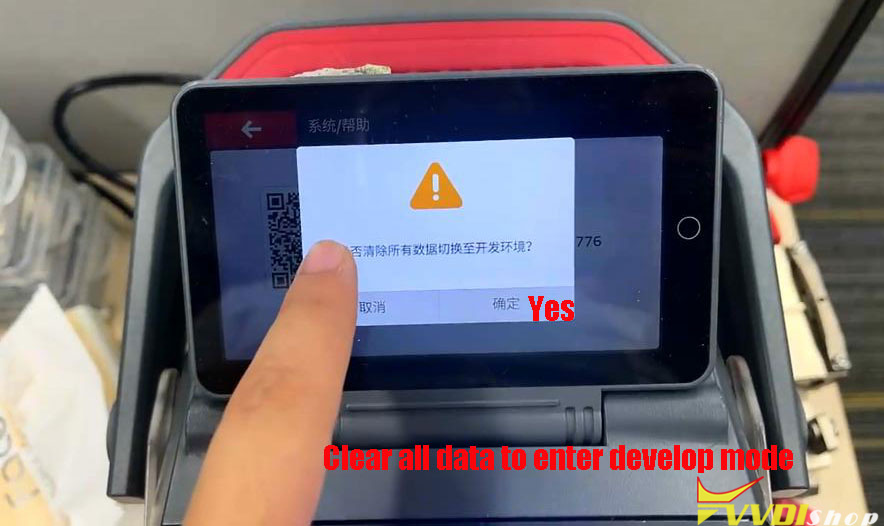
Press the QR code

enable xhorse dolphin xp005l developer mode 5

Press Yes to clear all data and enter Developer Mode (factory mode).

enable xhorse dolphin xp005l developer mode 6

Update firmware in Developer mode.

Then switch to normal mode to update firmware again.

It should be fine.

www.vvdishop.com