5/22/2026

How to Cut Keso Household Key with Xhorse Condor XC-TWINS?

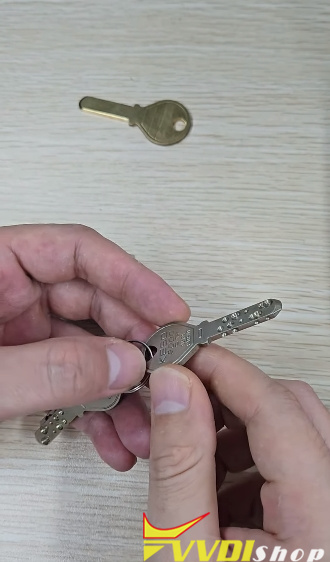
Xhorse Condor XC-TWINS key cutting machine has a large household key database. Here we will show how to cut a Keso dimple key using the XC-TWINS.


Key type: Keso 2000S dimple key

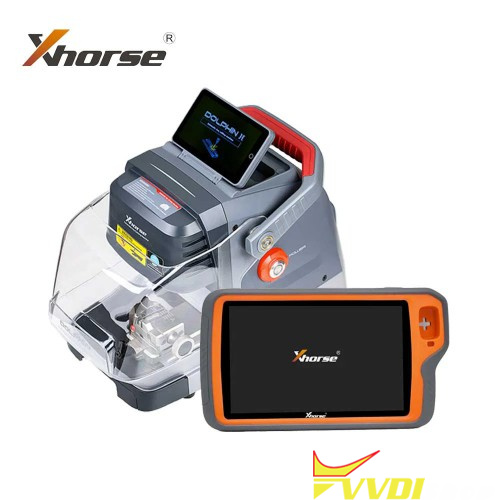
Machine used: Xhorse Condor XC-TWINS

Clamp: M5L-B Clamp

Cutter: Xhorse original D04 & D05 dimple cutter

Cut Keso Household Key with Xhorse Condor XC-TWINS 1

Procedure:

Select Household key- Keso- Keso 2000 S- KE3.

Cut Keso Household Key with Xhorse Condor XC-TWINS 2

Cut Keso Household Key with Xhorse Condor XC-TWINS 3

Cut Keso Household Key with Xhorse Condor XC-TWINS 4

Cut Keso Household Key with Xhorse Condor XC-TWINS 5

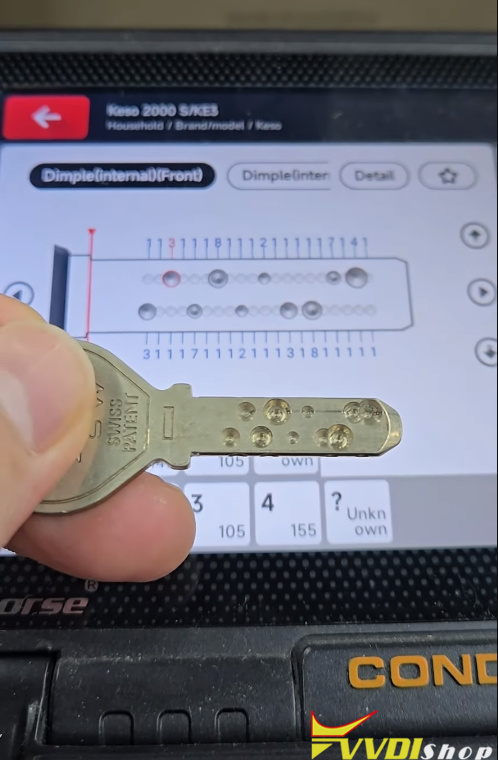
Place the original key front side into M5L clamp B side and Decode key.

Cut Keso Household Key with Xhorse Condor XC-TWINS 6

Decode (internal) front side ok.

Cut Keso Household Key with Xhorse Condor XC-TWINS 7

Cut Keso Household Key with Cut Keso Household Key with Xhorse Condor XC-TWINS 8Condor XC-TWINS 6

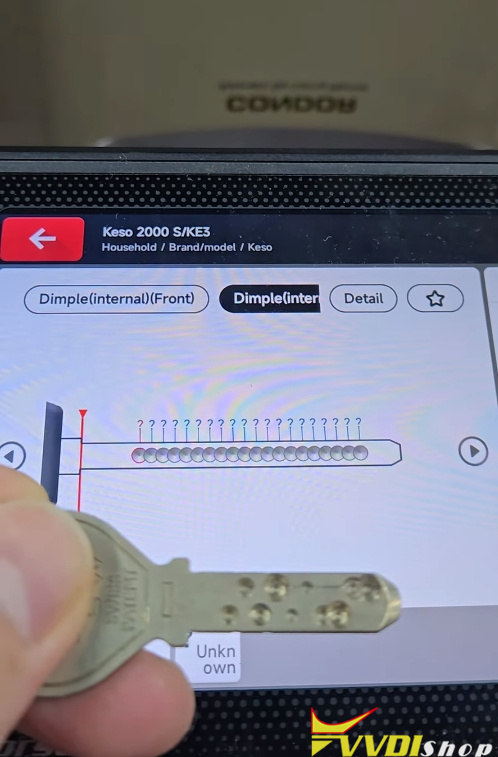
Choose Dimple (internal) side and decode.

Cut Keso Household Key with Xhorse Condor XC-TWINS 9

 Cut Keso Household Key with Xhorse Condor XC-TWINS 10

 Cut Keso Household Key with Xhorse Condor XC-TWINS 11

 Cut Keso Household Key with Xhorse Condor XC-TWINS 12

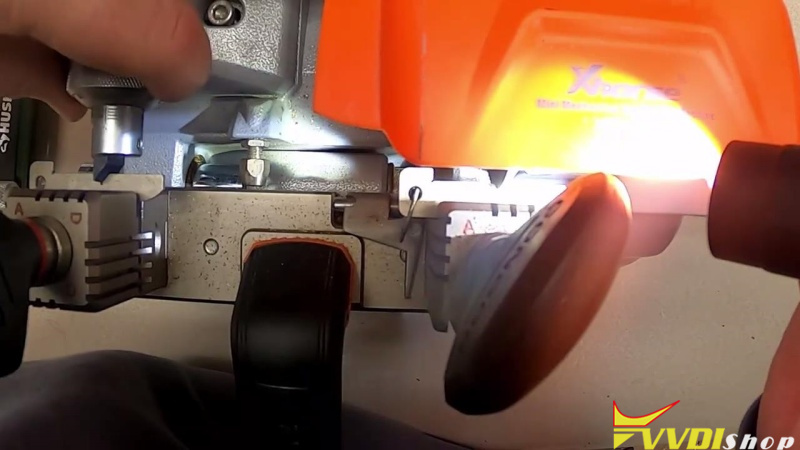
Place a new key flat onto the M5L clamp-B.

Cut Keso Household Key with Xhorse Condor XC-TWINS 13

Cut Keso Household Key with Xhorse Condor XC-TWINS 14

Cut the front key.

Cut Keso Household Key with Xhorse Condor XC-TWINS 15

Cut Keso Household Key with Xhorse Condor XC-TWINS 16

Cut the back side of the key.

Cut Keso Household Key with Xhorse Condor XC-TWINS 17

Cut Keso Household Key with Xhorse Condor XC-TWINS 18

 Cut Keso Household Key with Xhorse Condor XC-TWINS 19

Place the key sideways on the clamp.

Cut this side of the key.

Cut Keso Household Key with Xhorse Condor XC-TWINS 20

Cut Keso Household Key with Xhorse Condor XC-TWINS 21

Cut Keso Household Key with Xhorse Condor XC-TWINS 22

Cut another key side.

Cut Keso Household Key with Xhorse Condor XC-TWINS 23

Cut Keso Household Key with Xhorse Condor XC-TWINS 24

The key needs to be cut on all four sides. Each time you cut it, you need to remove the shavings.

Finish.

www.vvdishop.com

5/08/2026

Xhorse Condor XC-009 Alignment Guide

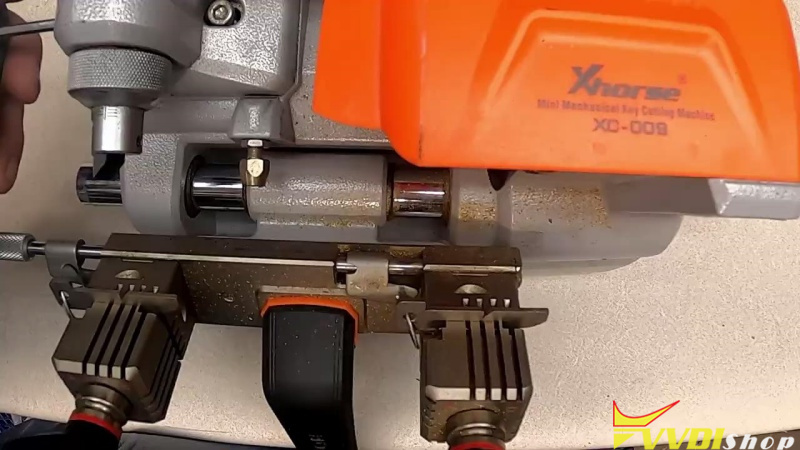
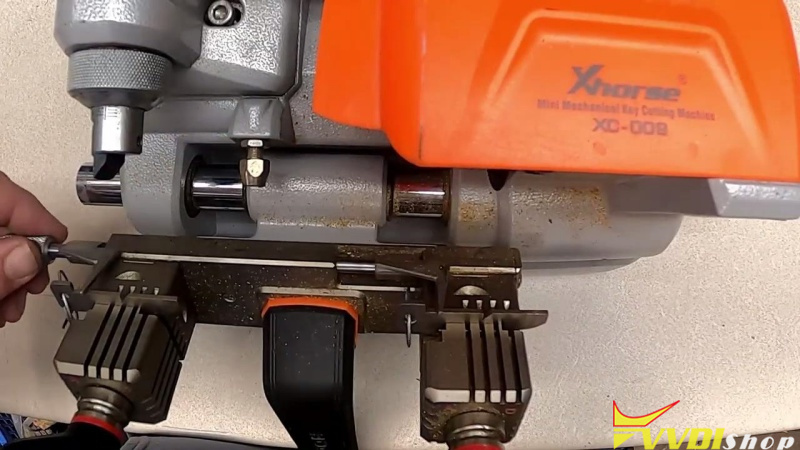
Proper calibration ensures precision and extends tool life. Follow these steps to align your Xhorse Condor XC-009 before its first use or after mechanical impact. Ensure the power remains OFF throughout the entire procedure.


Preparation & Required Tools

Before beginning, verify that your work area is clean and you have the following tools from your kit:

  • Allen Wrenches: 5mm and 3mm hex keys included in your kit.
  • Calibration Gauges: Two standard gauges provided with the Condor XC-009
  • Flashlight: Highly recommended for verifying precise alignment in the jaw.


Step 1: Jaw and Gauge Setup

  1. Clean the Stopper: Ensure the key stopper is free of debris and perfectly straight.
  2. Set Jaw Position: Rotate both the left and right jaws to Side A.
  3. Install Gauges: Slide the gauges into the jaws until they hit the lip, hold them tight, and lock them down.

Xhorse Condor XC-009 Alignment  1

Xhorse Condor XC-009 Alignment 2

Xhorse Condor XC-009 Alignment 3

Step 2: Lateral (Horizontal) Adjustment

If the tracer does not align horizontally with the gauges:

  1. Unlock the Axis: Use the 3mm Allen wrench to unlock the lateral adjustment mechanism.
  2. Adjust Movement: Use the 2.5mm Allen wrench on the bottom of the unit to shift the guide until it slides smoothly into the gauge.
  3. Secure the Setting: Relock the adjustment screw once horizontal alignment is achieved.

Xhorse Condor XC-009 Alignment 4

Step 3: Depth (Micrometer) Fine-Tuning

  1. Release Top Lock: Slightly loosen the lock/unlock knob at the top of the machine.
  2. Dial the Micrometer: Turn the micrometer knob to adjust the depth.
  3. Control Direction: Turning the micrometer can push the guide out or draw it in for a tighter fit.
  4. Final Lock: Once the guide sits perfectly flush, lock the jaw and the top knob.

Xhorse Condor XC-009 Alignment 5

Xhorse Condor XC-009 Alignment 6

Step 4: Verification

  1. Shoulder Stop Check: Verify that the shoulder stop is functioning correctly and aligning with your gauges.
  2. Visual Inspection: Use a flashlight to confirm the tracers are properly seated in the gauges.

Xhorse Condor XC-009 Alignment 7

www.vvdishop.com

5/06/2026

How to Test Xhorse Dolphin XP005L Battery BMS Board?

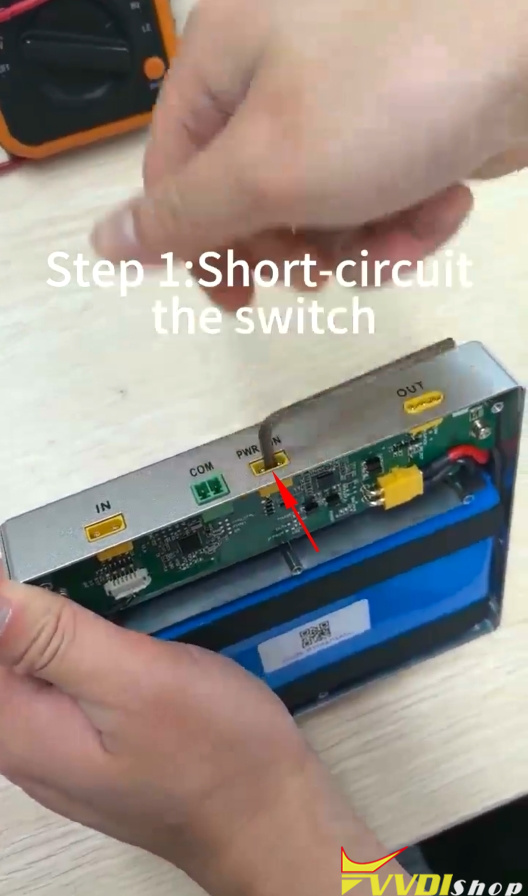
Here comes the Xhorse Dolphin XP005L key cutting machine new style battery BMS board testing guide.

Test Xhorse Dolphin XP005L Battery BMS Board 1

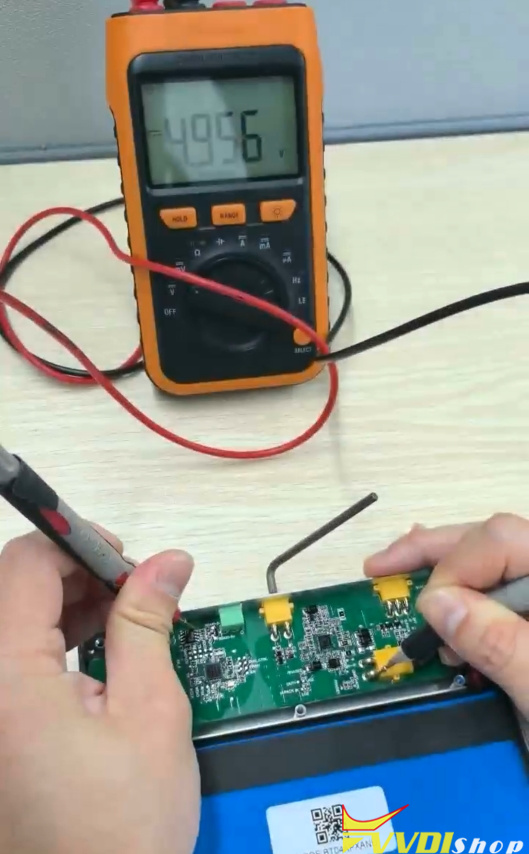
Step 1: Short-circuit the switch,
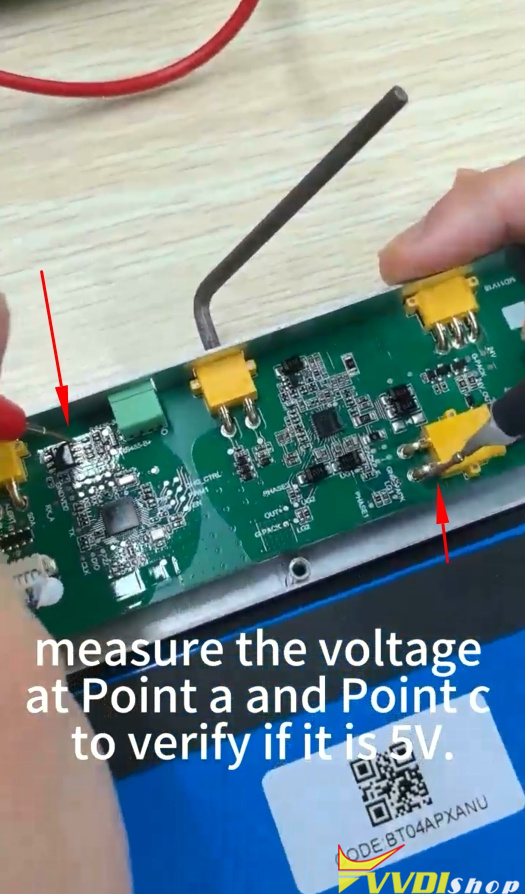
Measure the voltage at Point a and Point c to verify if it is 5V.

Test Xhorse Dolphin XP005L Battery BMS Board 2

Test Xhorse Dolphin XP005L Battery BMS Board 3

Test Xhorse Dolphin XP005L Battery BMS Board 4

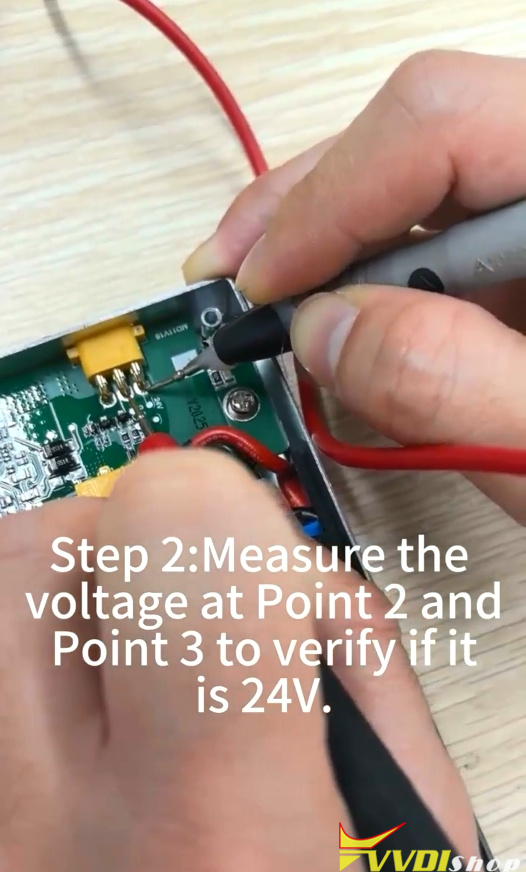
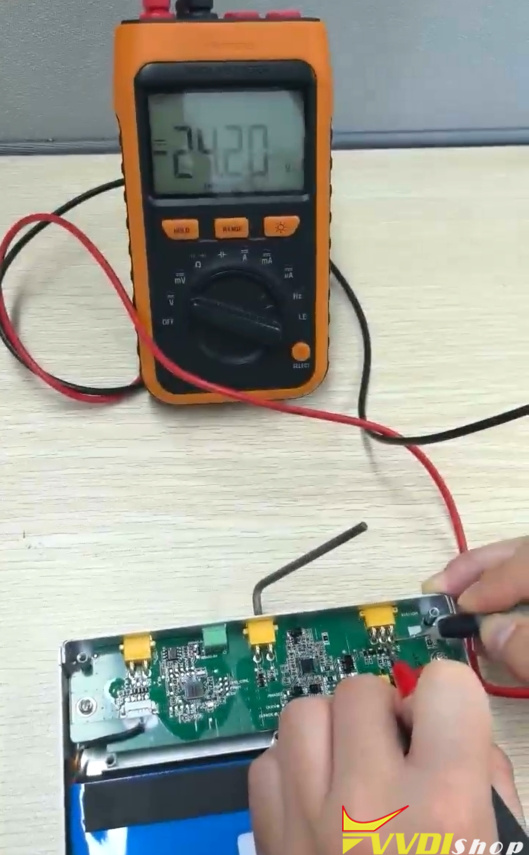
Step 2: Measure the voltage at Point 2 and Point 3 to verify if it is 24V.

Test Xhorse Dolphin XP005L Battery BMS Board 5

Test Xhorse Dolphin XP005L Battery BMS Board 6

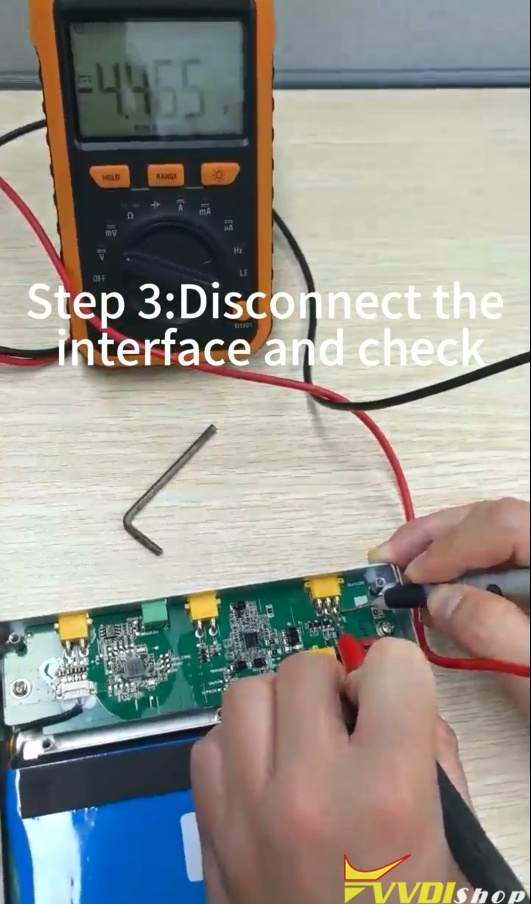
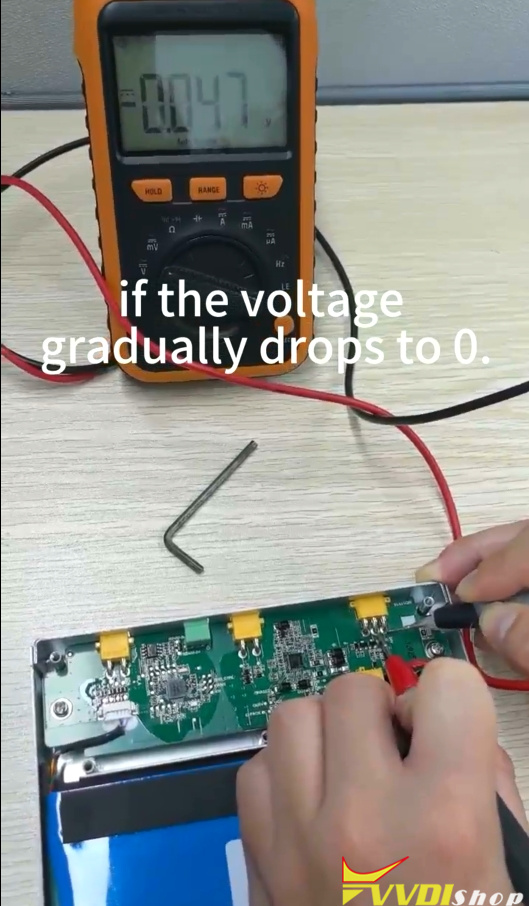
Step 3: Disconnect the short-circuit interface and check if the voltage gradually drops to 0.

Test Xhorse Dolphin XP005L Battery BMS Board 7

Test Xhorse Dolphin XP005L Battery BMS Board 8

If all the above readings are correct, it indicates that the battery is in good condition; otherwise, please record a video for our technical team to perform a further diagnosis.

www.vvdishop.com

4/13/2026

Xhorse Dolphin II Battery Cell Test Guide

If your newly bought Xhorse Dolphin XP005L key cutting machine failed to charge battery, you may need to test the battery cell.


dolphin xp005l failed to charge battery

Remove the battery module.

Dolphin II Battery cell testing method:
Step 1: Use a multimeter to test the voltage between point A & point b to check if it is 3.3V.

Dolphin II Battery cell testing method 1
Dolphin II Battery cell testing method 2

Step 2: Circuit the switch
Circuit the switch and then test the voltage between point a & d to check if it is 28V.

Dolphin II Battery cell testing method 3

Dolphin II Battery cell testing method 4
Dolphin II Battery cell testing method 5

Step 3:
Disconnect the interface and check if the voltage gradually drops to 0.

Dolphin II Battery cell testing method 6
Dolphin II Battery cell testing method 7
Dolphin II Battery cell testing method 8

If you fulfill the above conditions, it indicates that the battery is in good condition; otherwise, a battery replacement may be necessary.

Xhorse Dolphin XP005L replacement battery

4/09/2026

Xhorse Condor II and Dolphin II FAQs

This professional guide provides quick solutions for common technical issues involving the Xhorse Dolphin XP-005L and Condor XC-Mini Plus II. Learn how to resolve battery failures, motor issues, and account binding to optimize your key cutting performance.


  • Power & Battery

Q: What are the power requirements for the Condor XC-Mini Plus II?

A: The device operates on an input voltage of 90–264V AC or 24V DC. It has a rated power of 200W, so ensure your power source provides sufficient wattage for stable operation.

Xhorse Condor II and Dolphin II  FAQ 1

Q: Does the XC-Mini Plus II include a built-in battery?

A: No, the XC-Mini Plus II does not have an internal battery and requires a continuous external power supply.


Q: My Dolphin XP-005L shuts down immediately when the adapter is unplugged. How do I fix it? A: This typically indicates a battery or protection board failure. Use a multimeter to check the battery voltage—referring to the “Measurement Method Of Dolphin Battery” guide—and provide your serial numberto technical support for a replacement.

Xhorse Condor II and Dolphin II  FAQ2


  • Mechanical & Motor Maintenance

Q: What should I do if the Dolphin XP007 cutter or motor is not rotating?

A: Open the device cover to inspect the drive belt. Check for breakage or misalignment and adjust as necessary. If the belt is intact but the motor remains unresponsive, record a diagnostic video for technical support to identify potential circuit board issues.

Xhorse Condor II and Dolphin II  FAQ 3

Xhorse Condor II and Dolphin II  FAQ 4

Software & Account Features

Q: How do I activate free tokens for my Dolphin device?

A: You must bind your Xhorse Key Cutting Machine and Key Tool Plus to the same Xhorse account. After binding, contact your sales representative to activate the service and begin receiving free tokens.

Xhorse Condor II and Dolphin II  FAQ 5


Q: Where can I find operational instructions for Dolphin machines?

A: The Xhorse App software provides integrated wiring diagrams and step-by-step prompts. Follow the in-app guidance for specific key cutting procedures.


Quick Maintenance Checklist

  • Replacement Parts: Always have your device Serial Number and shipping address ready for battery or belt claims.
  • Voltage Testing: Use a multimeter for accurate battery diagnostics before requesting parts.
  • Power Stability: Ensure the XC-Mini Plus II is connected to a source meeting the 200W requirement to avoid mid-operation failure.